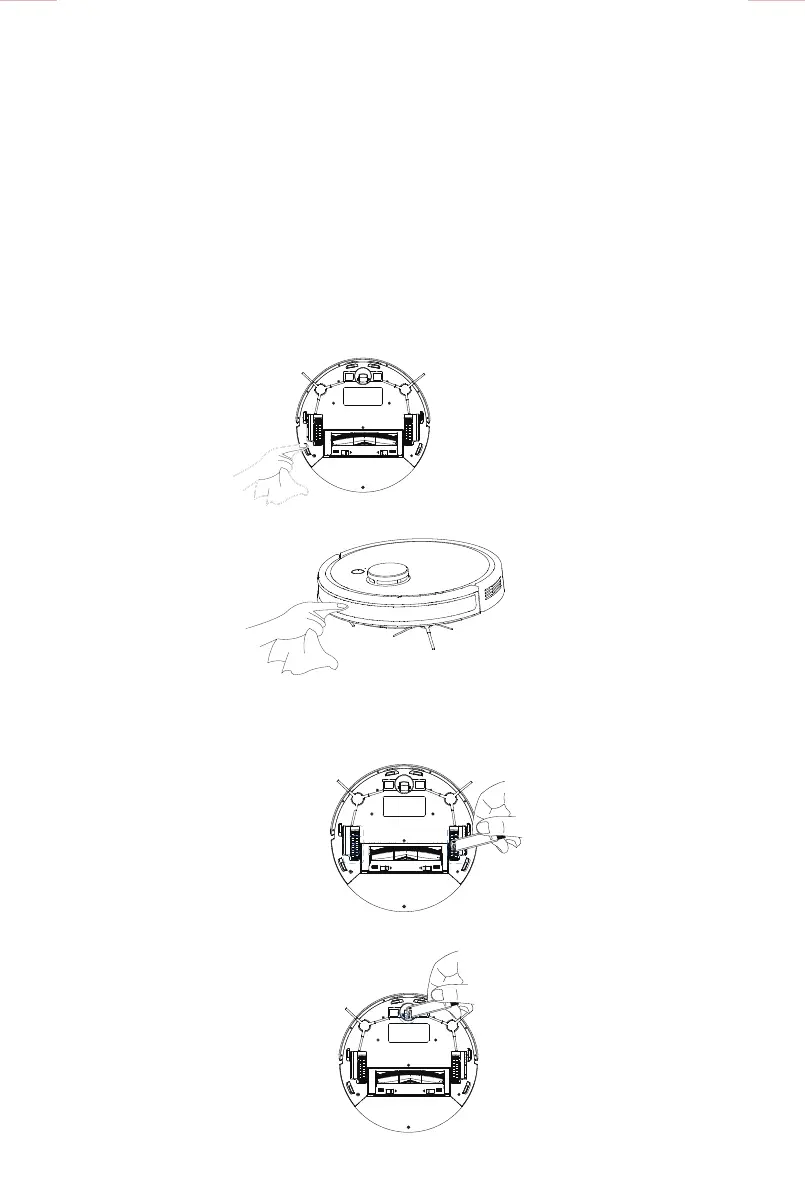
■ Clean front sensor buer lens
■ Clean the driving wheel.
Clean the hair and rubbish on the
driving wheel with the cleaning tool.
Clean the hair and rubbish on the
universal wheel with the cleaning tool.
■ Clean the universal wheel.
■ Clean the charging dock pins
■ Clean the drop sensors
Parts maintenance / Charging dock pins, drop sensors & front sensor
buer lens
Parts maintenance / Driving wheel and universal wheel
Tips:
The sensitive electronic components include the charging dock pins, drop sensors and anticollision sensors
bumper. Use a dry cloth when cleaning. Do not use a wet cloth to prevent the water damage.
* If you do not use the appliance for a long time, fully charge it before storing it, then turn o the power
switch and insist on recharging it every 1.5 months to avoid the battery becoming discharged.
* If the battery is discharged or not used for a long time, the appliance may not be charged successfully.
Contact our after-service department for repairing. Do not disassemble the appliance by yourself.
14



 To Next Page