33
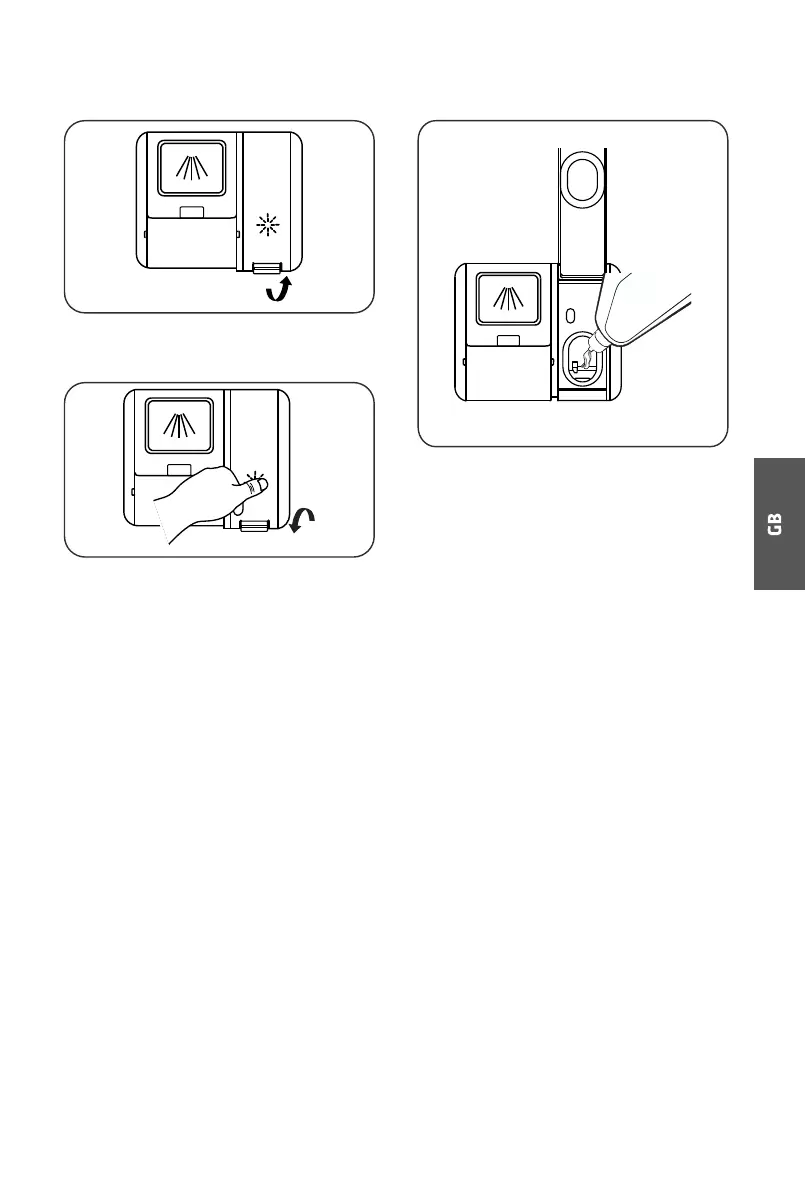
Filling The Rinse Aid Reservoir
1
2
Remove the rinse reservoir cap by
lifting up the handle .
Pour the rinse aid into the dispenser,
being careful not to overfill.
3 Close the cap in the end.
Adjusting the rinse aid reservoir
To achieve a better drying performance with limited rinse aid, the dishwasher is
designed to adjust the consumption by user. Follow below steps:
1. Close the door, switch on the appliance.
2. After the appliance was switched on, press the Rapid button for more than 5 seconds
within 60 seconds, and then press the Delay button to enter the set mode, the rinse aid
indication blinks as 1Hz frequency.
3. Press the Rapid button again to select the proper set according to your using habits, the
setting will change in the following sequence: d3->d4->d5->d1->d2->d3. The higher the
number, the more rinse aid the dishwasher uses.
4. Without operation in 5 seconds or press the Power button to complete the setup and exit
the setting mode.



 To Next Page