Forget To Add A Dish?
After 5 sec
It is dangerous to open the door mid-cycle,
as hot steam may scald you.
A forgotten dish can be added any time before the detergent
dispenser opens. If this is the case, follow the instructions below:
1. Open the door a little to stop the washing.
2. After the spray arms stopped working, you can open the door completely.
3. Add the forgotten dishes.
4. Close the door.
5. The dishwasher will start running again.
NOTE:
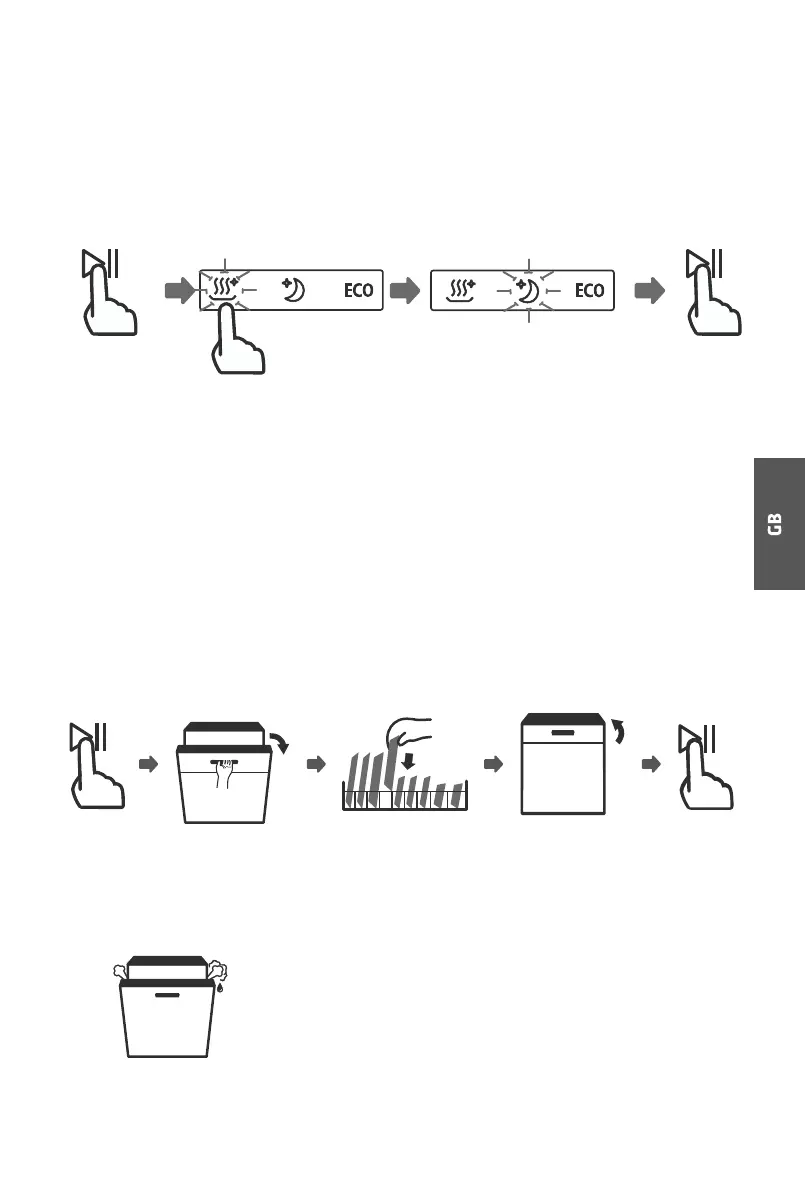
1. Press the Start/Pause button to pause the washing.
2. Press any one Program button more than three seconds, the machine
will be in program selection mode.
3. You can change the program to the desired cycle setting.
4. Press the Start/Pause button, the dishwasher will continue to run
after 10 seconds.
3 sec



 To Next Page