28
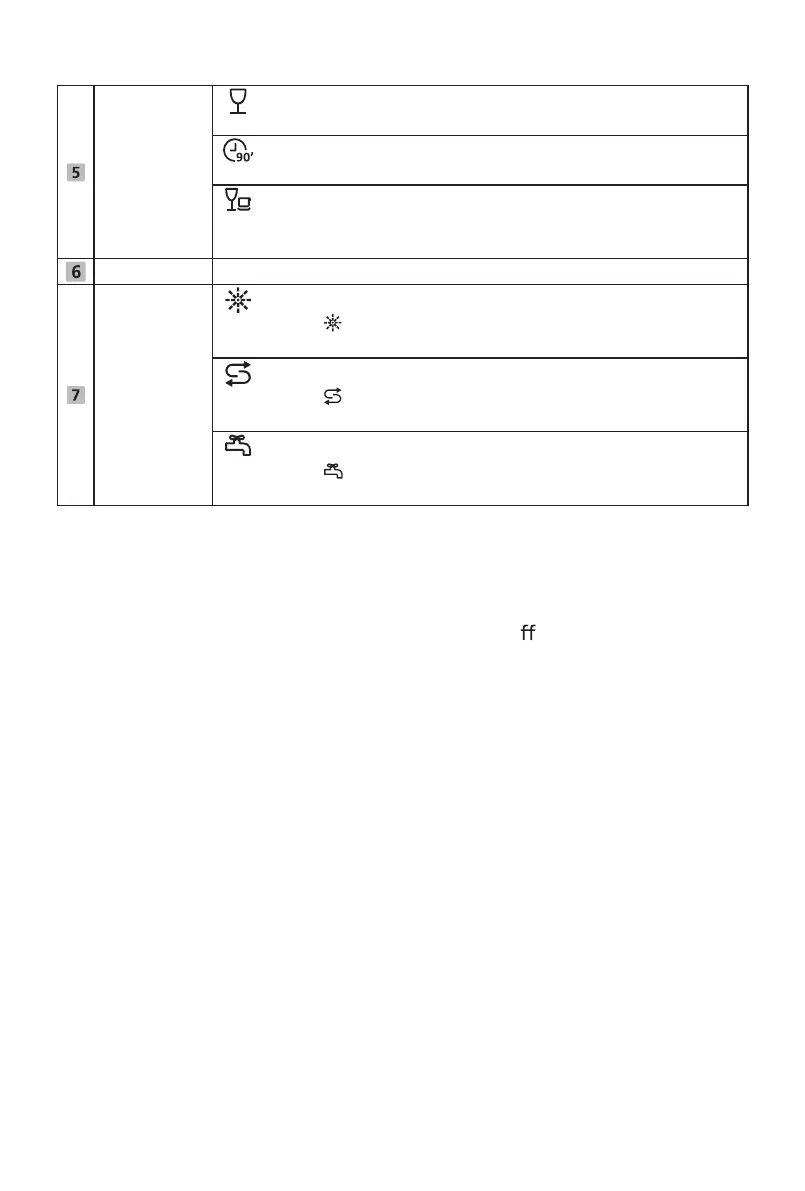
Program
indicator
Glass
For lightly soiled crockery and glass.
90 Min
For normally soiled loads that need quick wash.
Rapid
A shorter wash for lightly soiled loads that do not need
drying.
screen To show the remaining time, delay time, error code etc.
Warning
indicator
Rinse Aid
If the “ ” indicator is lit, it means the dishwasher is low
on dishwasher rinse aid and requires a refill.
Salt
If the “ ” indicator is lit, it means the dishwasher is low
on dishwasher salt and needs to be refilled.
Water Faucet
If the “ ” indicator is lit, it means the water faucet is
closed.
Water Softener
The water softener must be set manually, using the water hardness dial.
The water softener is designed to remove minerals and salts from the
water, which would have a detrimental or adverse e
ect on the operation
of the appliance. The more minerals there are, the harder your water is. The
softener should be adjusted according to the hardness of the water in your
area. Your local Water Authority can advise you on the hardness of the water
in your area.
Adjusting salt consumption
The dishwasher is designed to allow for adjustment in the amount of salt
consumed based on the hardness of the water used. This is intended to
optimise and customize the level of salt consumption.
Follow the steps below for adjustment in salt consumption.
1. Switch on the appliance;
2. Press the Program button
for more than 5 seconds to start the water
softener set model within 60 seconds after the appliance was switched on;
3. Press the Program
elect the proper set according to your
local environment, the sets will change in the following sequence:
H1->H2->H3->H4->H5->H6;
4. Without any operation in five seconds, the machine will exit from set
mode, the machine is into standby status.
button to s


 To Next Page