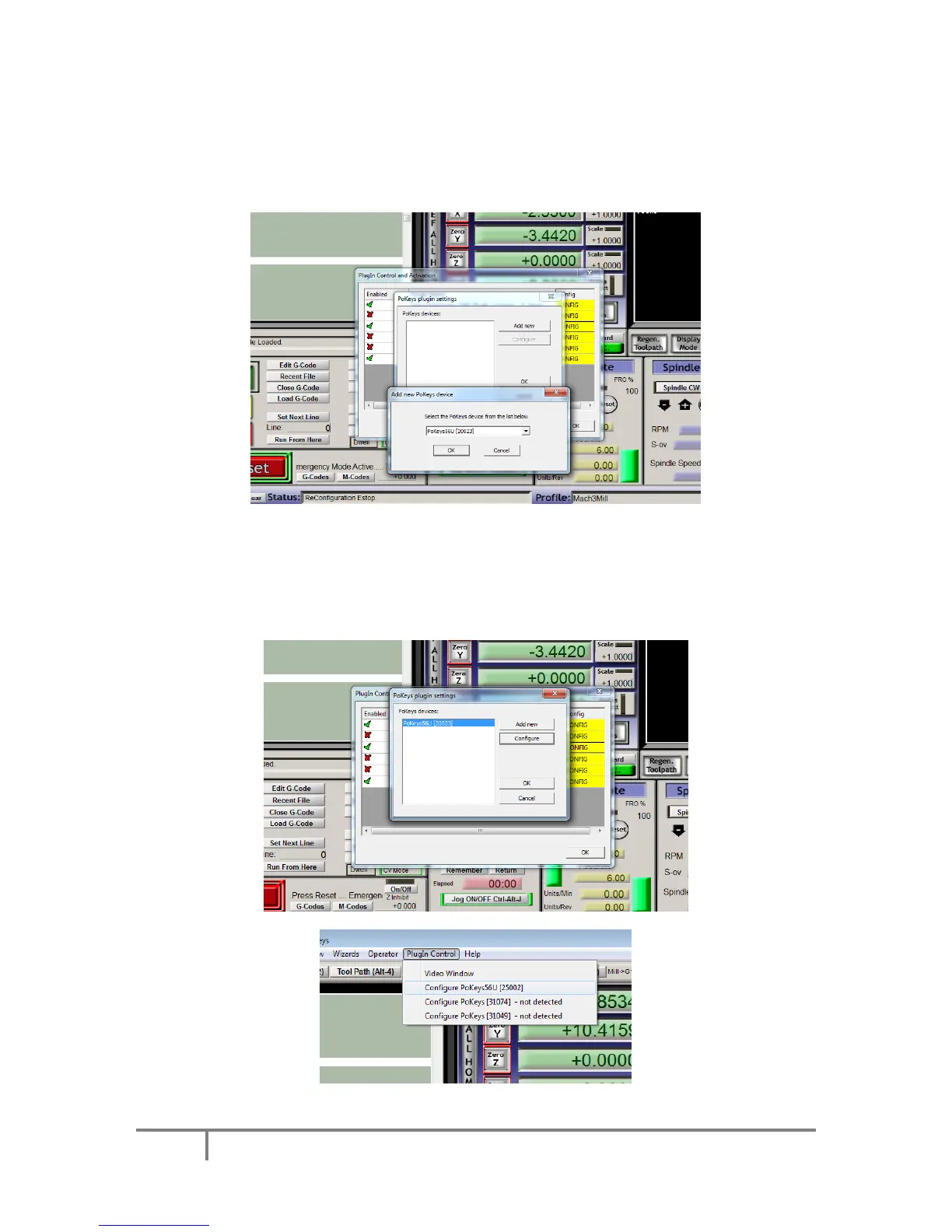
Enable the Pokeys-Polabs plugin and click CONFIG to start configuring the plugin. PoKeys plugin
support multiple PoKeys devices (PoKeys55, PoKeys56U and PoKeys56E). To add a new device
configuration, click the ‘Add new’ button and select the PoKeys device (as illustrated in the image
below).
After new device configuration is added, Mach3 MUST BE RESTARTED!
After restart, the option ‘Configure’ is enabled. This opens the device configuration dialog where user
can configure the device. The same can be achieved using a dedicated device menu entry in the
Mach3 Plugin Control menu.



 To Next Page