Motors/axis setup
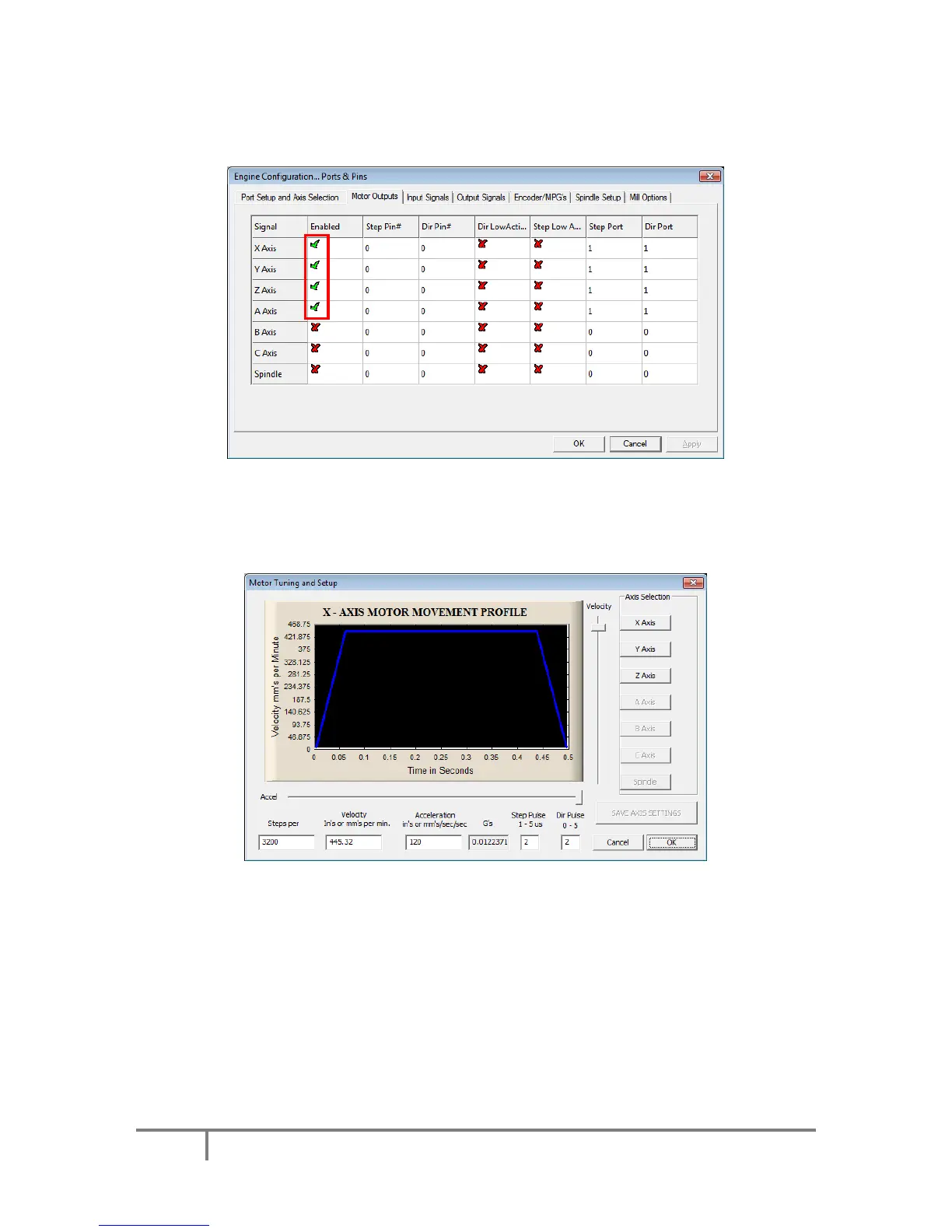
Open Config > Ports & Pins. The following dialog will appear.
Please check that the X, Y and Z axis are enabled (enable A Axis if external pulse generator is used).
Other settings are ignored.
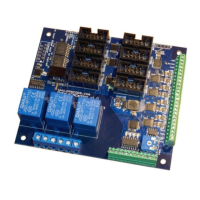
After enabling the axes, open the Motor tuning dialog (Config > Motor tuning).
Follow the Mach3 motor tuning procedure to setup the appropriate values for ‘Steps per’, ‘Velocity’
and ‘Acceleration’ for each axis. The ‘Step pulse’ and ‘Dir pulse’ options are IGNORED.
To setup Home/Soft Limits, go to the menu Config > Homing/Limits. In this dialog, software limits and
homing speeds can be setup. Use the 'Reversed' and 'Home neg' options to setup the axes directions.
Please note that 'Slow Zone' is not supported.



 To Next Page