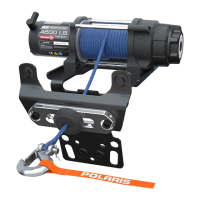
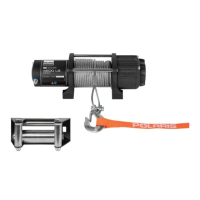
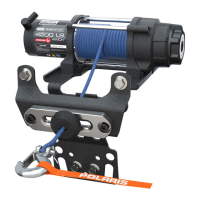
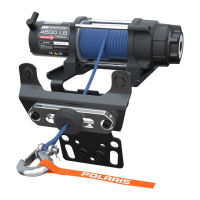
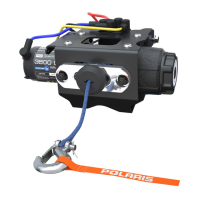
This document describes the Polaris PRO HD 4500 Winch Kit (P/N 2882238), an accessory designed for Polaris vehicles. It provides detailed installation instructions, a list of kit contents, tools required, and troubleshooting information. The winch system is designed for vehicle recovery and includes features for safe and efficient operation.
Function Description:
The Polaris PRO HD 4500 Winch Kit is a vehicle accessory that provides a powerful winching capability for recovery operations. It is designed to be integrated into the vehicle's electrical system and controlled via a wired handlebar switch or a wireless remote. The winch features a 4500 lb capacity and includes an Autostop system to prevent over-tightening of the rope. It offers multiple gear settings (High, Neutral, Low) to accommodate different recovery scenarios, with a "Rapid Recovery" mode for quick rope retrieval when not under load. The kit includes all necessary components for installation, such as the winch assembly, control box, rope, fairlead, contactor, and various cables and mounting hardware.
Important Technical Specifications:
- Winch Capacity: 4500 lbs (PRO HD 4500)
- Contactor Torque: 20 ft. lbs. (27.1 Nm) for mounting, 4 ft. lbs. (5.4 Nm) for cable connections.
- Winch Mounting Bracket Torque: 16 ft. lbs. (21.7 Nm) for fairlead, 20 ft. lbs. (27.1 Nm) for winch assembly.
- Power Cable Kit (PN 2881684): Required separately for connecting to the vehicle bus bar.
- For 3 Seat Models: PN 2881684
- For Crew Models: PN 2881685
- Power Cable Kit Contents (PN 2881684): Power Cables, Vehicle Bus Bar to Battery (Part Number 4015881).
- Kit Contents (Main Winch Kit):
- Winch Assembly, 4500 HDDS (Part Number 2206384)
- Latch Hook (Part Number 2411836)
- Control box (Part Number **)
- Rope (Part Number 2879187)
- Wireless Remote Kit (Part Number 2879316)
- Winch Cable, Yellow 6 GA (Part Number 4013468-740)
- Winch Cable, Blue 6 GA (Part Number 4013469-740)
- Power Cable, Black (Part Number 4013470-480)
- Power Cable, Red (Part Number 4013471-480)
- Contactor (Part Number 4015095)
- Autostop Fairlead (Part Number **)
- Grill, Fairlead Cover (Part Number 5255409)
- Winch Mount Bracket (Part Number -)
- Rubber Stop Magnet (Part Number **)
- Panduit Strap (Part Number 7080492)
- Various screws, nuts, and washers (M8, M6, M10, 5/16")
- Winching Guide (Part Number 9923644)
- Internal Cam Service Kit (Part Number 9927471, 2205497)
- Service Handle (Part Number 2205265)
- Tools Required: Safety Glasses, SAE & Metric Socket Sets, SAE & Metric Wrench Sets, Phillips Screwdriver, Torx® Bit Socket Set, Pliers (Side Cutting).
- Assembly Time: Approximately 1 hour.
Usage Features:
- Control Options: The winch can be operated via a wired handlebar switch (not explicitly listed in kit contents but implied by troubleshooting) and a wireless remote.
- Wireless Remote Operation:
- To turn on: Hold "On/Off" button for three seconds until LED light turns on.
- Automatic shut-off: After 30 seconds of inactivity.
- Manual shut-off: Hold "On/Off" button for three seconds until LED light turns off.
- The remote allows operation from off the vehicle for safety.
- Autostop System: Prevents over-tightening of the rope. It uses stop magnets in a black rubber puck that trigger sensors in the aluminum fairlead, stopping the winch from pulling in further. This is a secondary preventive measure; the operator is always responsible for proper winch usage.
- Gear Selection:
- High Gear (H): For rapid recovery mode only, when the rope is not under load. Not intended for pulling under load, as it reduces winch life. Rotate the gear shifting knob clockwise to select.
- Neutral Gear (N): The "N" marking shows through the cutout window on the shift knob.
- Low Gear (L): For standard operating mode, designed for pulling under load. Rotate the gear shifting knob counter-clockwise to select.
- Safety Precaution: Never attempt to shift gears while the rope is under tension, as this can cause injury or death. Ensure the rope is not in tension before shifting.
- Rapid Recovery Winch Function: Allows quick retrieval of the winch rope when not under load. The rope speed is approximately five times the speed of standard operation. Always reset the winch to Low gear after using Rapid Recovery.
Maintenance Features:
- Installation Instructions: Detailed step-by-step guide for proper installation, including preparation, power cable kit installation, contactor installation, winch installation, wireless remote receiver installation, and wireless remote holder installation.
- Troubleshooting Guide: Comprehensive table addressing common issues such as:
- Dead Vehicle Battery
- Winch will not operate (contactor not receiving power, wireless remote not powered on, incorrect component connections, keyed power circuit not powered)
- Winch operates in one direction only (Autostop fairlead not connected properly)
- Winch makes noise but rope does not move (winch not in proper gear, contactor powered but not winch)
- Winch operates too slowly (winch in wrong gear, winch improperly loaded)
- Winch will not change gears (rope still under load)
- Final Inspection: Checklist to ensure correct wiring, no exposed wires/terminals, and secure loose wires away from moving parts/heat sources.
- Reinstallation Steps: Instructions for reconnecting battery cables, reinstalling drive shaft cover, hood, and driver seat after winch installation.
- Service Kits: Internal Cam Service Kit and Service Handle are listed as part of the kit, suggesting components that may require periodic maintenance or replacement.
The manual emphasizes safety throughout, particularly regarding gear shifting under load and the proper use of the Autostop system. It also provides a feedback form for installers to provide comments or questions, accessible via QR code or a direct link.



 To Next Page
 General