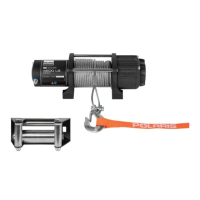
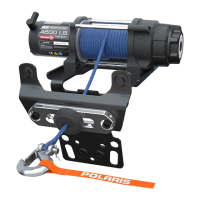
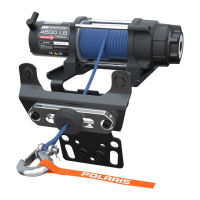
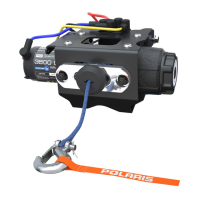
This document is an installation manual for the Polaris® 4500 Pro HD Winch Kit, part number 2883861. It provides detailed instructions for installing the winch, its components, and related electrical connections, along with operational guidelines, troubleshooting, and service kit information.
Function Description:
The Polaris® 4500 Pro HD Winch Kit is designed to provide powerful pulling capabilities for a vehicle, likely an ATV or UTV, given the references to "dash switch," "hood," "seat," and "busbar." The winch system includes a 4500 lb capacity winch assembly, an Autostop fairlead, a control box, a dash switch, and a wireless remote for convenient operation. Its primary function is to assist in vehicle recovery, pulling loads, or other tasks requiring a strong pulling force. The "Pro HD" designation suggests a heavy-duty design for demanding applications.
Important Technical Specifications:
- Winch Capacity: 4500 lbs (implied by "4500 Pro HD Winch Kit").
- Fastener Torques:
- Winch Mounting Bracket: 30 ft. lbs. (40.7 Nm)
- Winch Assembly to Mounting Bracket: 16 ft. lbs. (21.7 Nm)
- Autostop Fairlead to Mounting Bracket: 16 ft. lbs. (21.7 Nm)
- Fairlead Mount Bracket to Suspension Bracket: 24 ft. lbs. (32.5 Nm)
- Busbar Harness Adapter (keyed power terminal): 36 in. lbs. (4.1 Nm)
- Pulse Bar/Busbar Power Cables (MY19 and newer): 24 in. lbs. (2.8 Nm)
- Busbar Power Cables (MY18 and older): 36 in. lbs. (4.1 Nm)
- Electrical System: Designed to integrate with the vehicle's electrical system, including connections to the battery, pulse bar, or busbar. It features a 10A accessory circuit fuse for protection.
- Rope/Cable: The winch uses a rope (part number 2879187), which passes through a rubber stop magnet and an Autostop fairlead.
- Gear Settings: The winch is equipped with a dual-speed mechanism offering "HIGH," "NEUTRAL," and "LOW" gear settings.
- Autostop Feature: Utilizes a black rubber puck with stop magnets that trigger sensors in the aluminum fairlead to automatically stop the winch when the puck reaches the fairlead, preventing over-tightening of the rope/cable.
Usage Features:
- Dual Speed Operation: Allows for "HIGH" gear for rapid recovery of the winch rope (no load only), "LOW" gear for standard pulling operations, and "NEUTRAL" for free-spooling the rope for faster deployment.
- Dash Switch Control: A dedicated switch installed on the vehicle's dash for direct control of the winch.
- Wireless Remote Control: Provides the ability to operate the winch from off the vehicle, enhancing safety and convenience. The remote automatically turns off after 30 seconds of inactivity and can be manually turned off. It requires holding the "On/Off" button for three seconds to activate.
- Autostop System: A safety feature that automatically stops the winch when the rubber puck on the rope approaches the fairlead, preventing damage from over-tightening. It is emphasized as a secondary preventive measure.
- Rapid Recovery Winch Function: A specific mode for quickly reeling in the winch rope under no-load conditions, approximately five times faster than standard operation. This function is only to be used when the rope/cable is under no load.
- Gear Shifting: The gear shifting knob allows selection between HIGH, NEUTRAL, and LOW. It is crucial to shift gears only when the rope/cable is not under tension to avoid damage.
- Installation Flexibility: The wireless remote holder can be installed in a desired location on the vehicle.
Maintenance Features:
- Troubleshooting Guide: The manual includes a comprehensive troubleshooting section for common issues such as a dead vehicle battery, winch not operating, operating in one direction only, making noise but not moving, operating too slowly, or not changing gears. This section provides possible causes and recommended solutions.
- Service Kits: Several service kits are available for specific components, facilitating repair and maintenance:
- Winch Hardware Kit (PN 2206301)
- PRO Service Handle Kit (PN 5454752)
- Autostop Service Kit (PN 2881288)
- Winch Motor Service Kit (PN 2207791)
- Universal Wireless Remote Kit (PN 2881287)
- Electrical Connection Reference Guide: Detailed diagrams and instructions are provided for proper electrical connections, crucial for correct operation and to prevent damage.
- Wire Routing Guidelines: Emphasizes routing and securing all wires away from heat sources, moving components, and sharp edges to prevent damage and ensure longevity.

 Need help?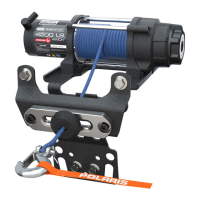

 To Next Page
 General