45
Polaroid i733 Digital Camera User Guide
www.polaroid.com
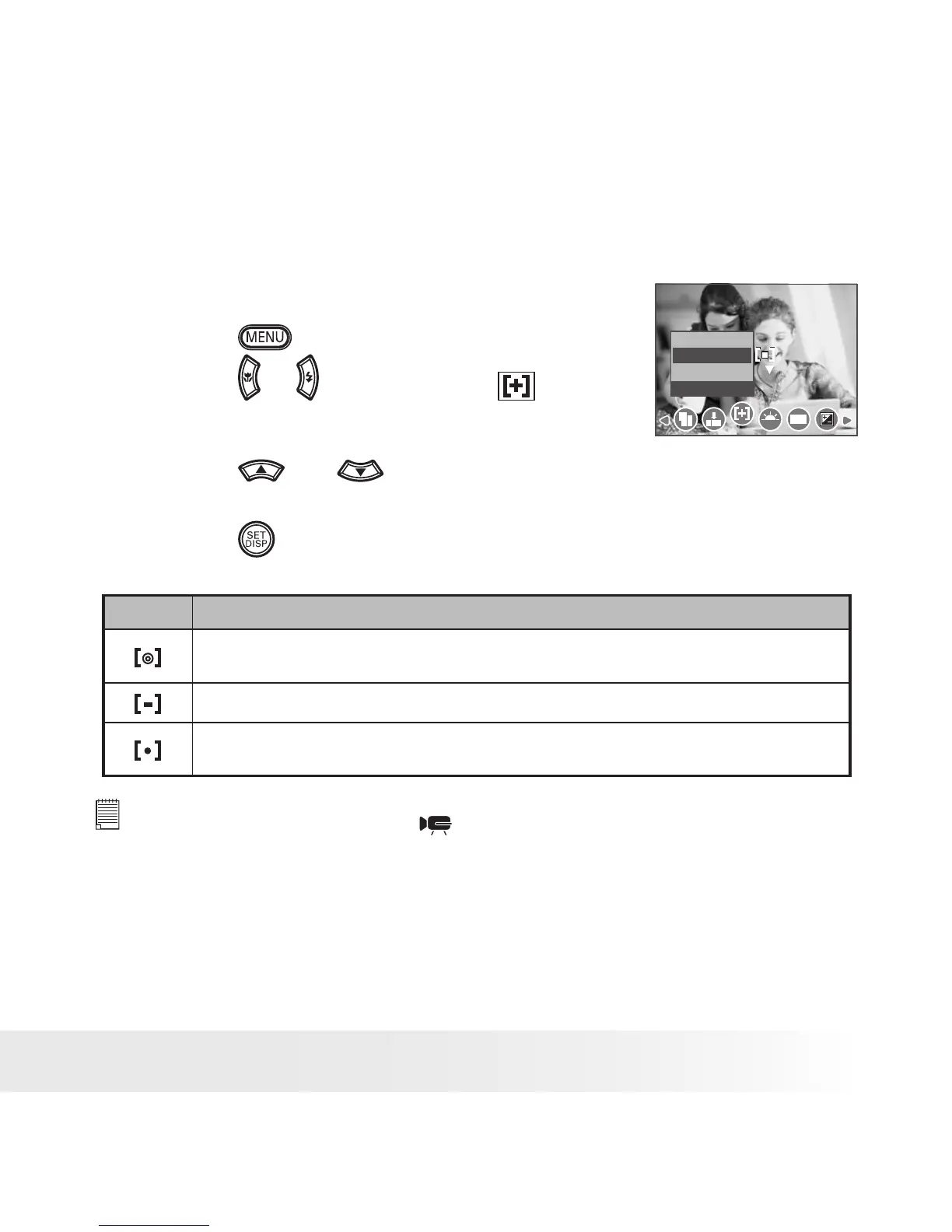
• Setting Light Metering
Use the light metering setting to ensure that the proper amount of light
enters into the camera lens.
1. Set the camera to Still Image mode.
2. Press the
button.
Metering
WB
ISO
Center
Multi
Spot
3. Press the
or
button to select
(METERING).
4. Press the
and
button to select the
desired setting.
5. Press the
button.
Option Description
Light is measured from the entire shooting screen, but gives more importance
to the values near the center.
Selects an exposure based on readings from multiple points in the subject area.
Selects an exposure based on a single reading taken from the center of your
picture.
NOTE:
This setting is also available in
(Video) mode.


 To Next Page
 Loading...