• Resetting to Default Settings
You can easily change all the settings you made back to the camera
default setting by the following steps.
Please refer to “Camera Default Settings” on page 102 for more details.
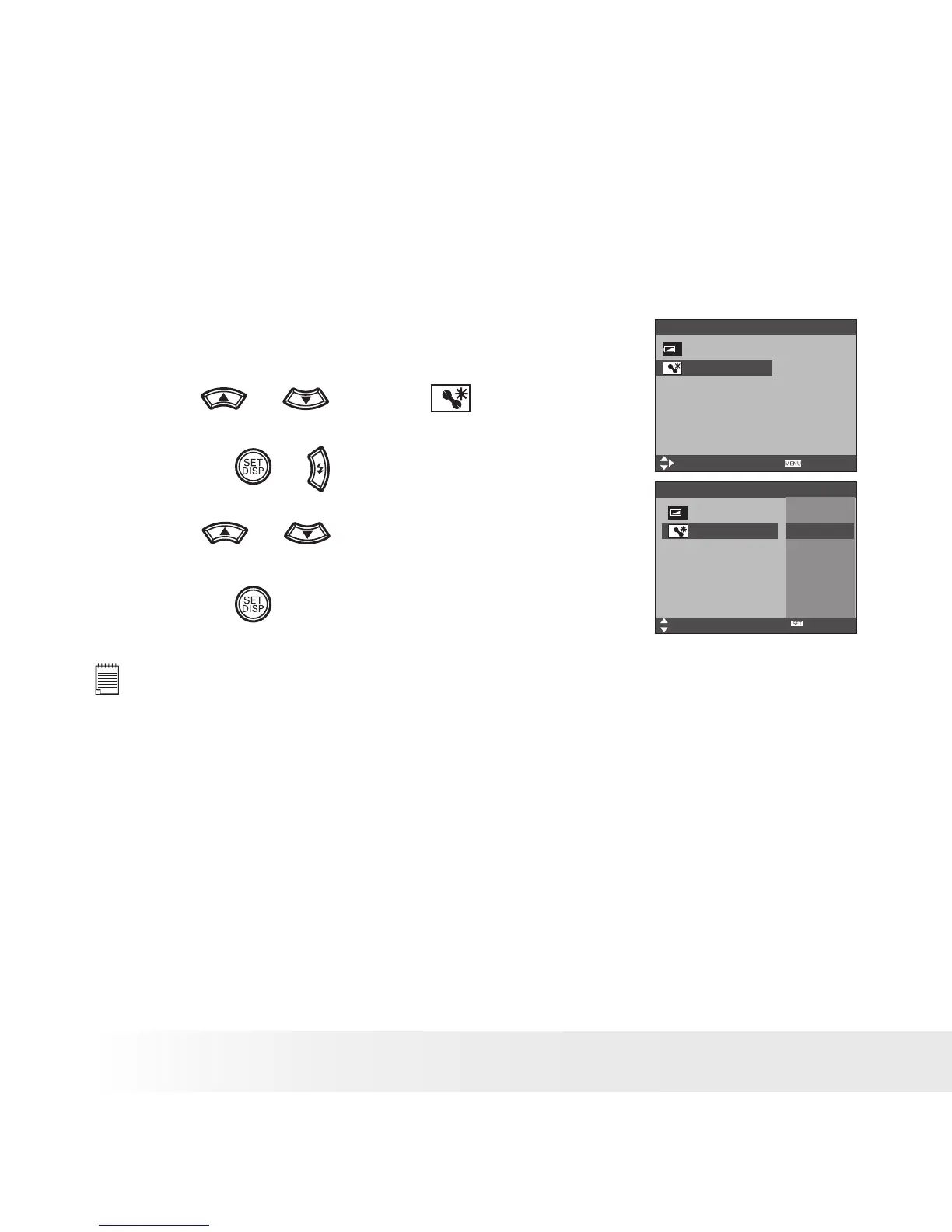
1. Access the setup menu.
2. Press
or
to select
(RESET ALL).
3. Press the
or
button.
4. Press
or
to select “YES”.
5. Press the
button.
Setup Menu 3/3
Select
Exit
Battery Type Alkaline
Reset All No
Setup Menu 3/3
Select
Ok
Battery Type
Reset All
Yes
No
NOTE:
The following settings do not change with this procedure:
• Date & Time setting
• Language setting
• TV out setting
• Battery Type



 To Next Page
 Loading...