• Setting Date/Time, Display On/Off
Date and time are displayed on the picture by default. You can hide one
or both of them by the following steps.
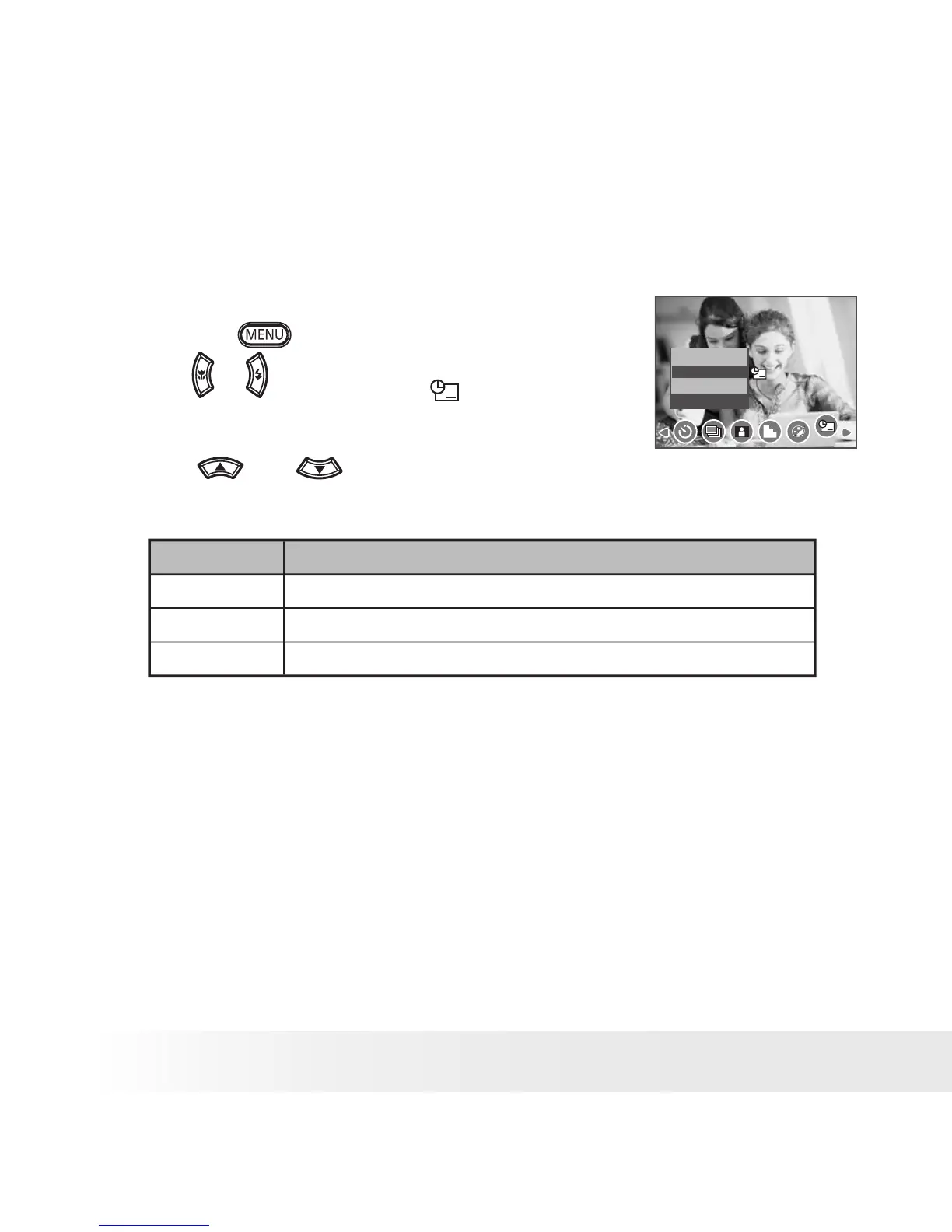
1. Set the camera to Still Image mode.
2. Press the
button.
3. Press
or
button to select
(DATE
STAMP).
Date Stamp
Off
Date
Date & Time
4.
Press
and
button to select the
desired setting.
Option
Description
Off
Do not add the recorded date & time to printed images
Date
Only add the recorded date to printed images
Date & Time
Add the recorded date & time to printed images



 To Next Page
 Loading...