ENGLISH
29
Chapter 3 Using the OSD Features
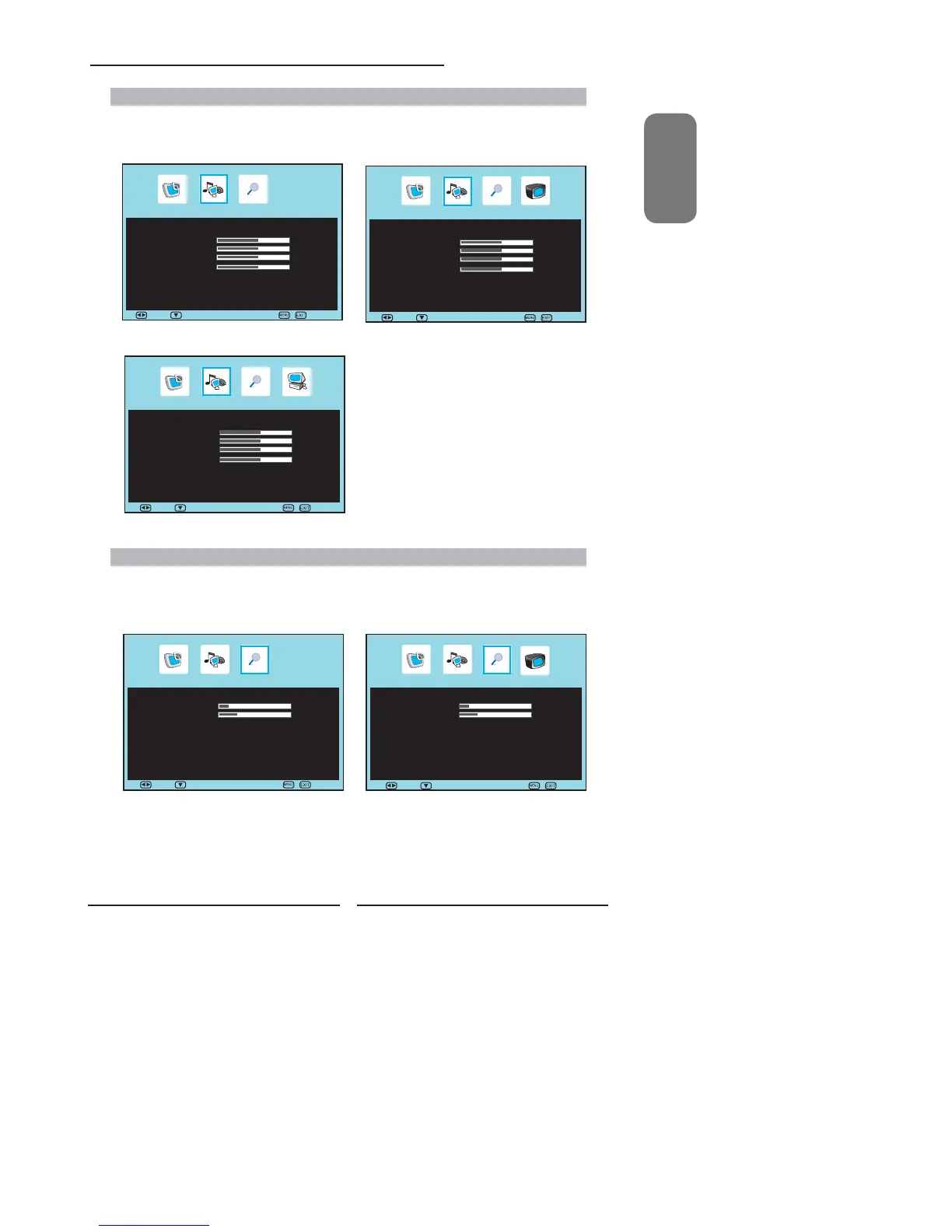
AUDIO MENU:
▪ If the signal source is AV/S-VIDEO/YPbPr/HDMI/
SCART, the AUDIO Menu appears as:
▪ If the signal source is TV/DTV, the AUDIO Menu
appears as:
Allows you to customize the audio options and effects.
▪ If the signal source is VGA, the AUDIO Menu appears as:
OSD SETUP MENU:
Allows you to set up a variety of features: Language, factory reset, sleep timer.
▪ If the signal source is AV/S-VIDEO/YPbPr/HDMI/
SCART, the OSD Setup Menu appears as:
▪ If the signal source is TV/DTV, the OSD Setup menu
appears as:
Audio Setup
Sound Mode ◄ User ►
Volume 50
Bass 50
Treble 50
Balance 50
Mute ◄ Off ►
Audio Setup
Sound Mode ◄ User ►
Volume 50
Bass 50
Treble 50
Balance 50
Mute ◄ Off ►
Audio Setup
Sound Mode ◄ User ►
Volume 50
Bass 50
Treble 50
Balance 50
Mute ◄ Off ►
OSD Setup
Language ◄ English ►
Time Out 15
Transparency 25
Sleep Timer ◄ Off ►
Reset ►
OSD Setup
Language ◄ English ►
Time Out 15
Transparency 25
Sleep Ttimer ◄ Off ►
Reset ►
Move Select Exit
Move Select
Exit
Move Select
Exit
Move Select
Exit
Move Select
Exit


 To Next Page
 Loading...