ENGLISH
31
Chapter 3 Using the OSD Features
Press the button to turn the LCD TV on.
Press the MENU button on the remote control to display the Main menu, and use the
◄► buttons to select the Picture.
Use the ▲▼ buttons to highlight an individual Picture option, use the ◄► buttons to
change the setting, and press the MENU to exit the menu
The Picture menu includes the following options:
PIC Mode Cycles among display types: Movie/Vivid/Sport/Game/User
Contrast Controls the difference between the brightest and darkest regions of
the picture.
Brightness Controls the overall brightness of the picture.
Tint Controls the difference between the green and red regions of the
picture.
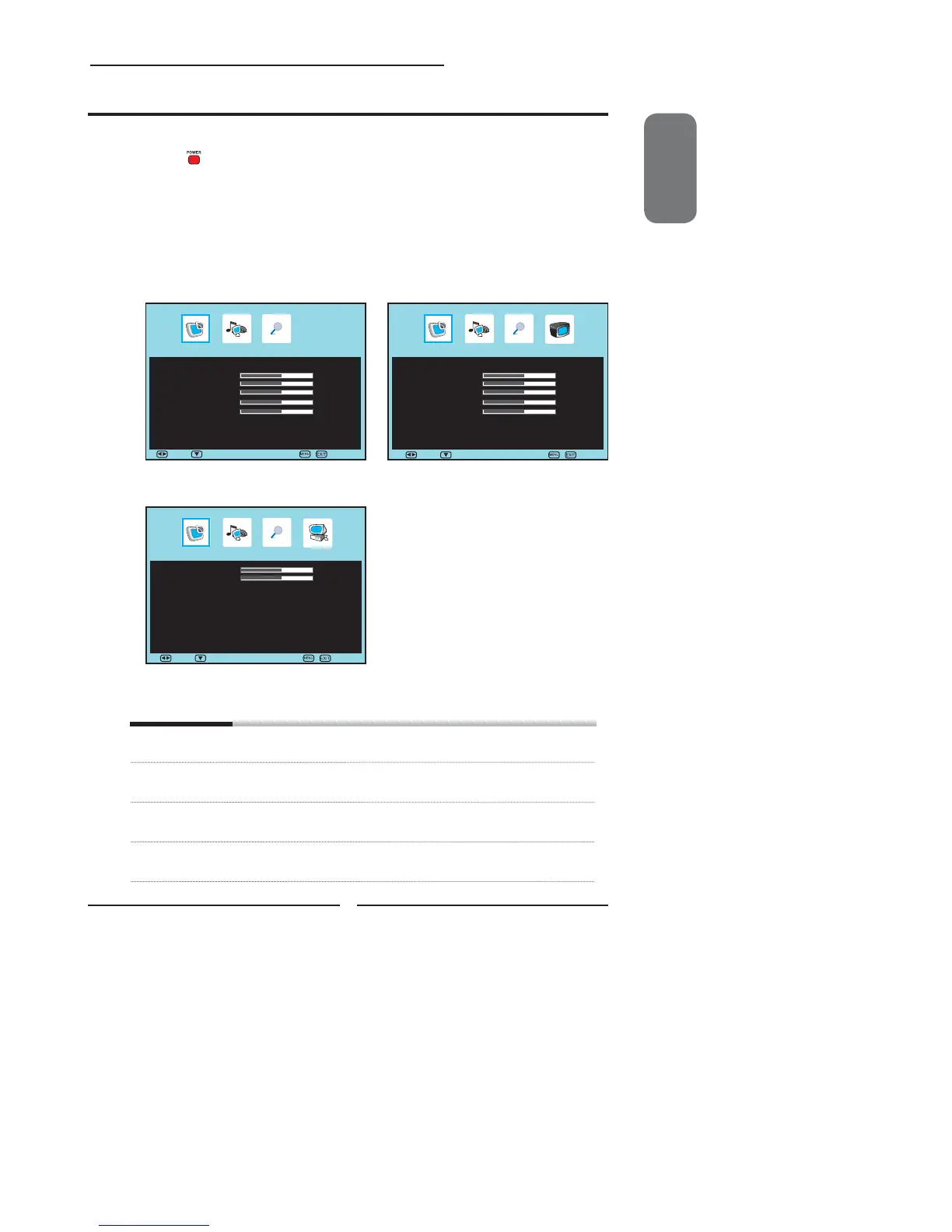
Customizing the Picture Settings
▪ If the signal source is AV/S-VIDEO/YPbPr/
SCART/HDMI, the Picture Menu appears as:
▪ If the signal source is TV/DTV, the Picture Menu
appears as:
Picture
PIC Mode ◄ User ►
Brightness 50
Contrast 50
Tint 50
Saturation 50
Sharpness 50
Scale ◄ Full ►
Color Temp ►
Picture
PIC Mode ◄ User ►
Brightness 50
Contrast 50
Tint 50
Saturation 50
Sharpness 50
Scale ◄ Full ►
Color Temp ►
▪ If the signal source is VGA, the Picture Menu appears
as:
Picture
Brightness 50
Contrast 50
Scale ◄ 16 : 9 ►
Color Temp ►
Move Select Exit
Move Select Exit
Move Select
Exit


 To Next Page
 Loading...