14
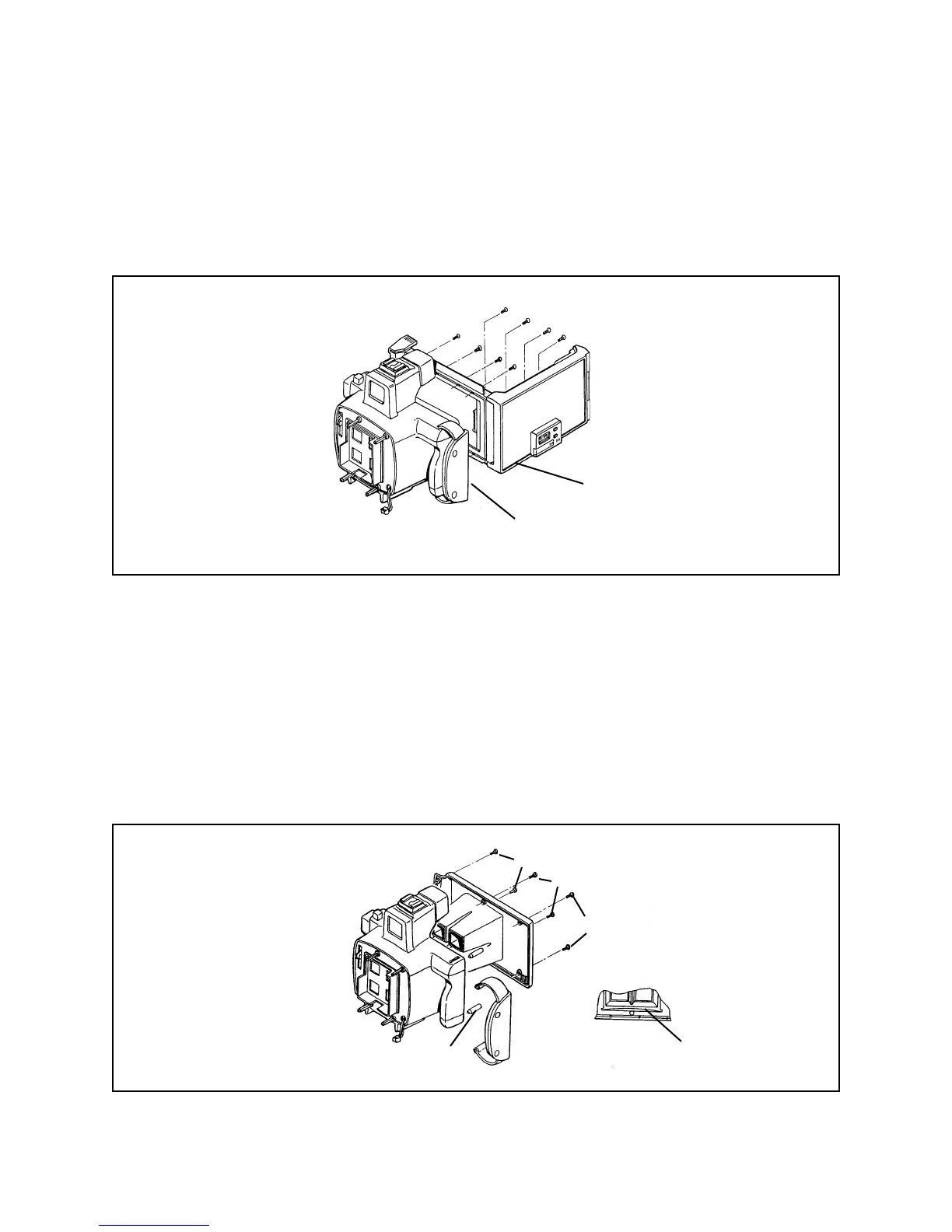
Removing Camera Back, Backplate (Holder Frame) and Hand Strap (Figure 3-2)
1. Unlatch and open the Camera Back. Remove the eight screws mounting the
Camera Back to the Backplate (Holder Frame).
Figure 3-2. Removing camera back
2. To remove the Back Plate (Figure 3-3), remove the four screws A and two screws B
securing it to the Body.
Note: For reassembly, note the locations of larger screws A (corners) and smaller
screws B (center). Also, don’t lose Spring C at base of Back Plate.
3. To remove the Hand Strap, remove Pins D from the Strap loops.
Figure 3-3. Removing backplate and hand strap
Camera Back
Back Plate
A
B
Pins D
Spring C
A



 To Next Page
 Loading...








