15
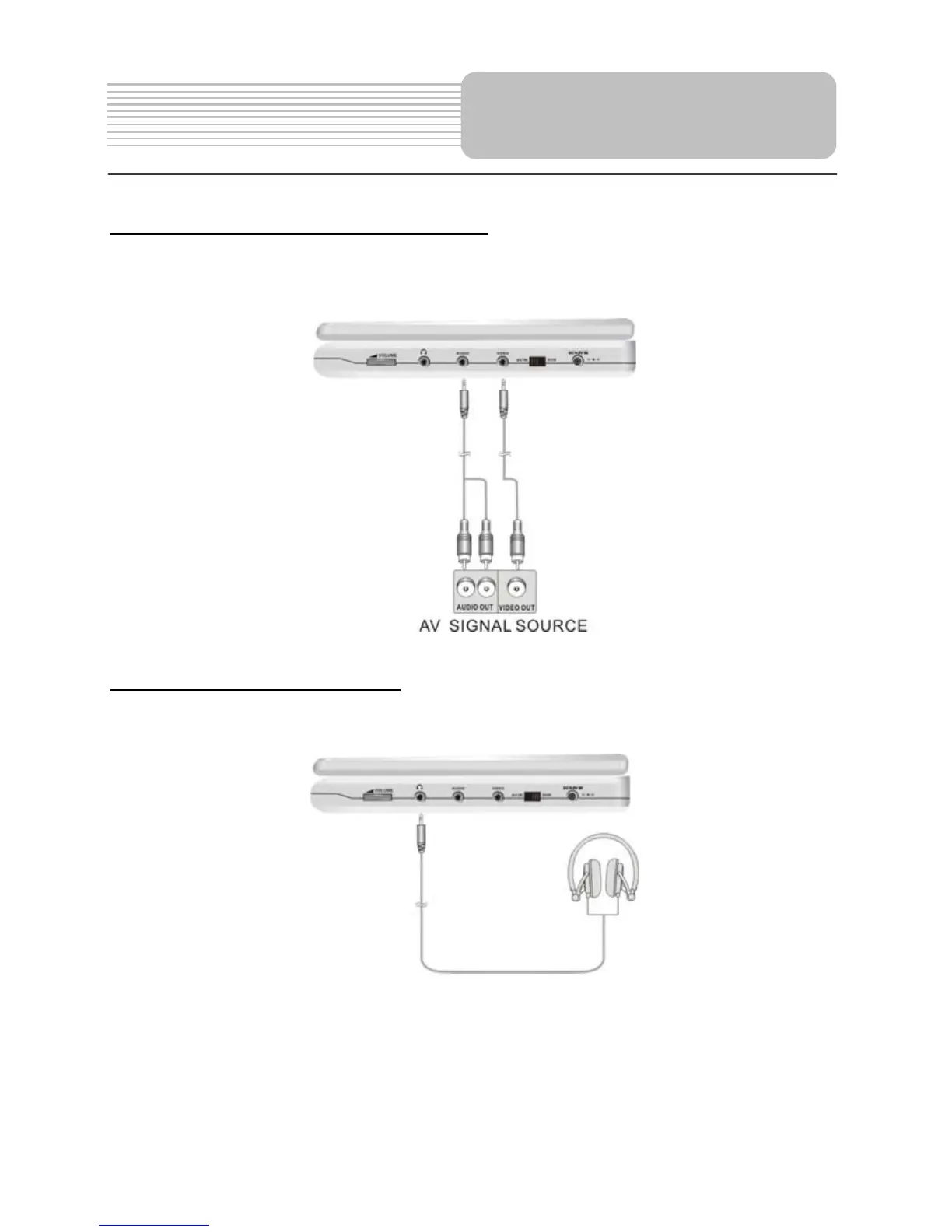
Connecting to External AV Source
The player supports an AV signal input function. Use the audio/video cable to connect
the unit to an external AV signal source such as a DVD, VCR etc. After connecting,
switch the DVD/AV IN to AV IN.
Connecting to Headphone
Connect headphones to the headphone jack on the right side of the unit.
When headphone is connected, the speakers will automatically turn off.
System Connections


 To Next Page
 Loading...