SLEEP
SLEEP FUNCTION
Under this function the unit maintains the room temperature
and humidity at optimum level with silent operation. The unit
will run in a preset programmed algorithm which will vary the
set temperature after every preset time interval. The unit will be
turned off after 8 hours and will be in STAND BY mode.
Fan speed cannot be adjusted and is always set to low under
this function.
TO SET
1. Select the desired mode of operation – Cool/ Dry or SMART.
2. Press the SLEEP button, sleep icon will appear on the display
and the remote which will indicate the unit is set in SLEEP
function.
3. In SLEEP function if the unit is running in COOL mode,
after each hour the set temperature is increased by 1˚C,
this happens for the first two hours after which the unit will
run at (set temperature + 2˚C) for remaining 6 hours before
it is switched off.
4. In Dry mode the dehumidifying power of the appliance is
partially reduced every hour for the first two hours and then
the unit will run for 6 hrs at the reduced dehumidifying power
before it goes in STANDBY mode.
REMOTE CONTROL OPERATION
ON/OFF BUTTON
1. Press the ON/OFF button to turn the unit ON or OFF.
2. Each time the unit is turned ON it will start operation in last selected mode.
CLOCK
CLOCK BUTTON
1. To set the correct time of the day, press the CLOCK button.
2. The clock display will fash; set the clock using the
UP/DOWN button.
3. Each time the UP or DOWN button is pressed the minute
display will increment/decrement by 1. After the correct
time is set press the CLOCK button to store the set time.
10
REMOTE CONTROL
SLEEP FUNCTION
Under this function the unit maintains the room temperature
and humidity at optimum level with silent operation. The unit
will run in a preset programmed algorithm which will vary the
set temperature after every preset time interval. The unit will be
turned off after 8 hours and will be in STAND BY mode.
Fan speed cannot be adjusted and is always set to low under
this function.
TO SET
1. Select the desired mode of operation – Cool/ Dry or SMART.
2. Press the SLEEP button, sleep icon will appear on the display
and the remote which will indicate the unit is set in SLEEP
function.
3. In SLEEP function if the unit is running in COOL mode,
after each hour the set temperature is increased by 1˚C,
this happens for the first two hours after which the unit will
run at (set temperature + 2˚C) for remaining 6 hours before
it is switched off.
4. In Dry mode the dehumidifying power of the appliance is
partially reduced every hour for the first two hours and then
the unit will run for 6 hrs at the reduced dehumidifying power
befor
e it goes in STANDBY mode.
REMOTE CONTROL OPERATION
ON/OFF BUTTON
1. Press the ON/OFF button to turn the unit ON or OFF.
2. Each time the unit is turned ON it will start operation in last selected mode.
CLOCK
CLOCK BUTTON
1. To set the correct time of the day, press the CLOCK button.
2. The clock display will fash; set the clock using the
UP/DOWN button.
3. Each time the UP or DOWN button is pressed the minute
display will increment/decrement by 1. After the correct
time is set press the CLOCK button to store the set time.
10
REMOTE CONTROL
12
OPERATING FROM THE REMOTE CONTROL
Under this function the unit maintains the room temperature at optimum level
with quiet operation. The unit will run in a preset programmed algorithm which
will vary the set temperature after every preset time interval. The unit will be
turned off after 8 hours and will be in STAND BY mode.
Fan speed cannot be adjusted and is always set to low under this function.
TO SET
1. Select the desired mode of operation - COOL or DRY
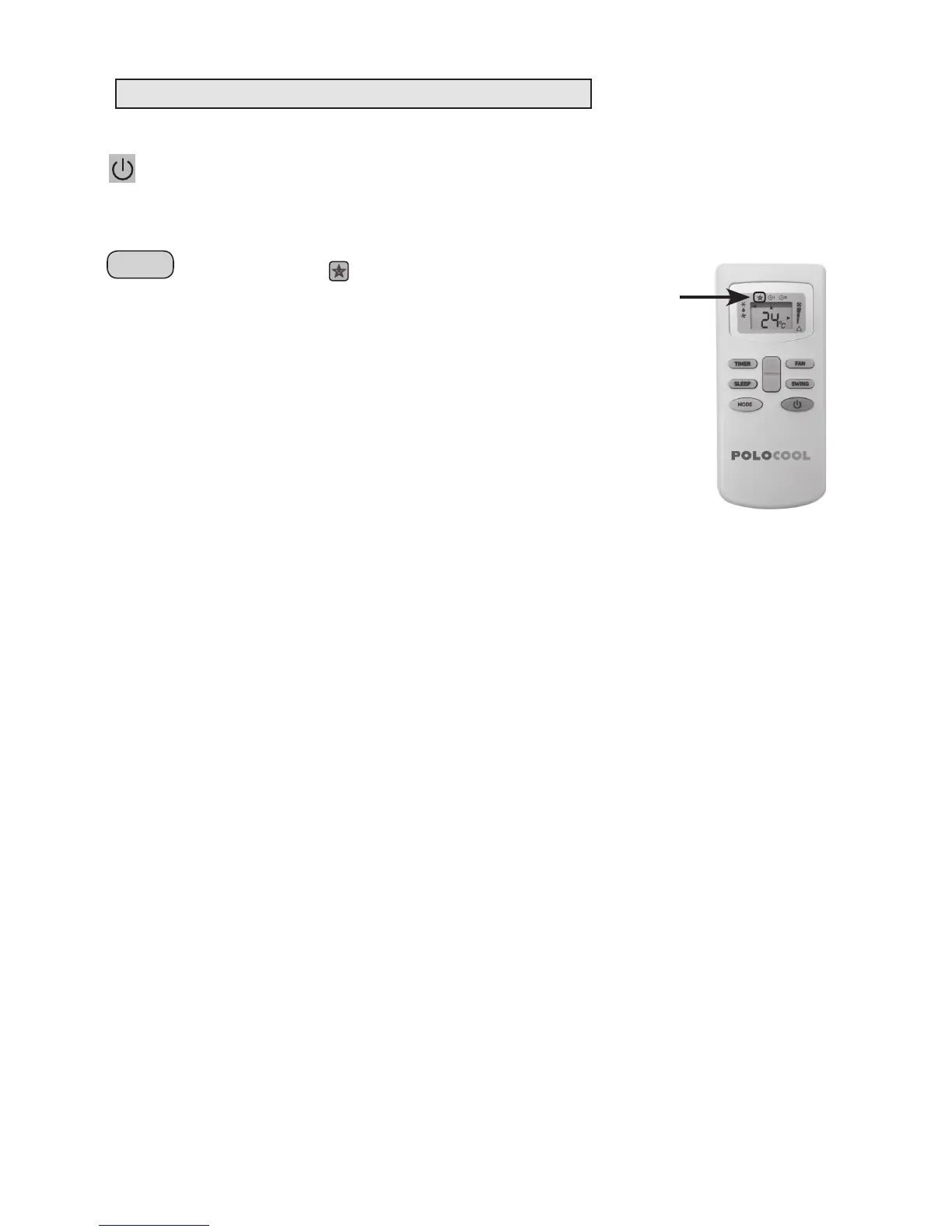
2. Press the SLEEP button, sleep icon will appear on the display and the
remote which will indicate the unit is set in SLEEP function.
3. In SLEEP function if the unit is running in COOL mode, after each hour the
set temperature is increased by 1°C, this happens for the first two hours
after which the unit will run at (set temperature +2°C) for remaining 6 hours
before it switches off.
4. In DRY mode the dehumidifying power of the appliance is partially reduced
every hour for the first two hours and then the unit will run for 6 hrs at the
reduced dehumidifying power before it goes into STANDBY mode.


 To Next Page
 Loading...