Specification
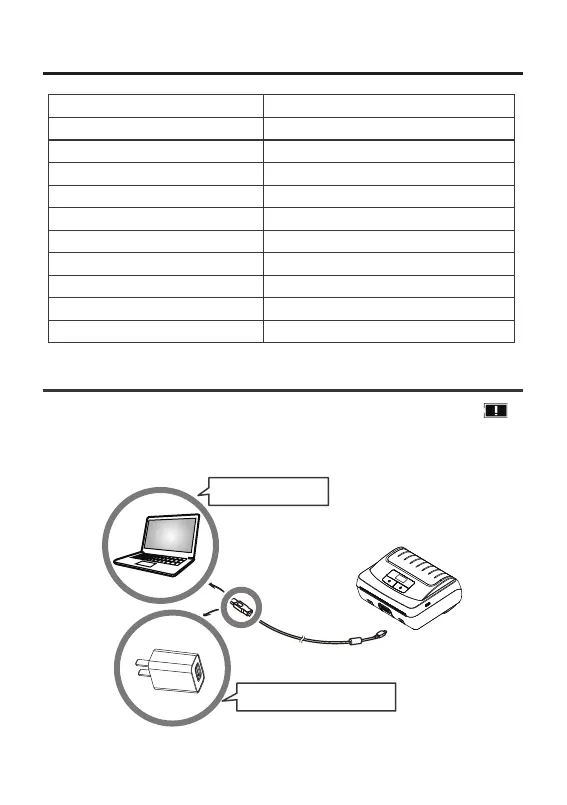
Charging the printer
When the power of battery pack is 15%, there will be low power warning “ ”
shown on the screen. It powers off automatically when continues printing. Connect the
printer to one the following power supplies to charge.
Charge via PC port
Charge via power adapter
203dpi
42-110 mm
80 mm/s max
CPCL,ESC/POS
Receipt/ label
50 mm max
5V2A
Definition
Print width
Print speed
Command
Paper type
Paper roll diameter
Input
Storage environment
Product size
Weight
Operation environment 0-45℃,10-85% RH,no condensation
-20 - 40℃,10-90%RH, no condensation
144x105x58.5 mm
0.48 kg
02



 To Next Page