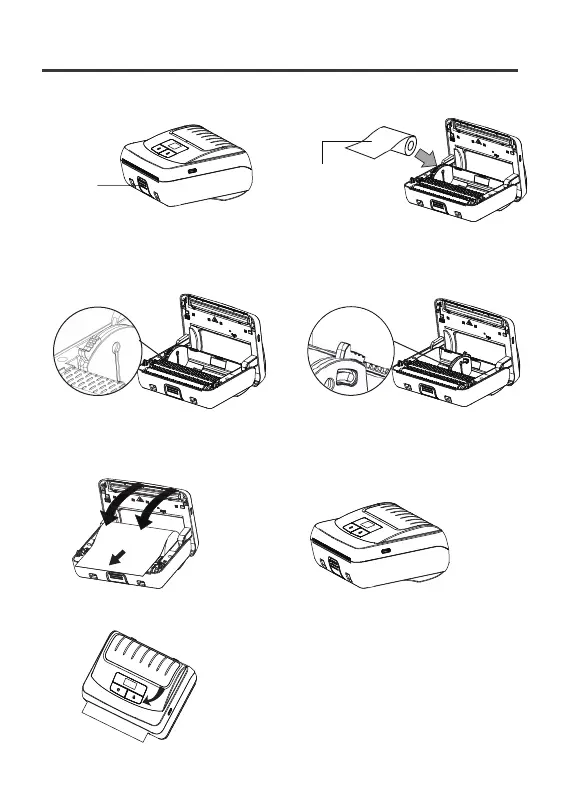
1. Press the bin button to open the cover. 2. Load the roll paper as shown.
Note:
1) Adjust the guide to fit paper of different sizes.
2)When the lever is at the top, the guide is locked; when the lever is at the bottom,
the guide is adjustable
Adjustable
outer surface is print side
可滑动
Bin button
(opens the cover)
4. Press the feed button to feed one sheet.
3. Pull out the paper a little then close the cover. Make sure both sides are closed.
Loading the paper
Locked
03



 To Next Page