Windows Installation
Print via Mobile phone
1.Connect the printer to the computer via the included USB cable.
2.Power on the printer.
3.Download the driver from www.polono.com and install by
proceeding through the driver setup.
1.Power on the printer by holding the Power button for 2 second
s.
2.Search for and install “HereLabel” on the App Store or on Google Play.
3.Open the “HereLabel” app and click on “not connected” in the top right
to add a printer. Make sure Bluetooth and Location are enabled.
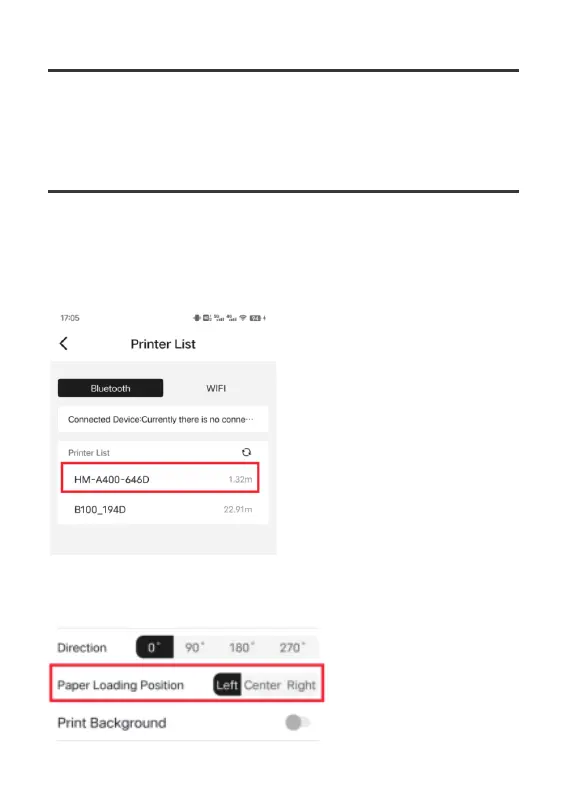
4.Select HM-A400-[xxxx]; [xxxx] will differ for each printer. If
a PIN is
required, enter 1234.
5.Create a new label or use “PDF printing” on “Mine” tab, edit, then print.
Note:
1.Before printing, select “Left” for “Paper Loading Position” i
n the Print Preview.
04



 To Next Page