PL60 User Manual
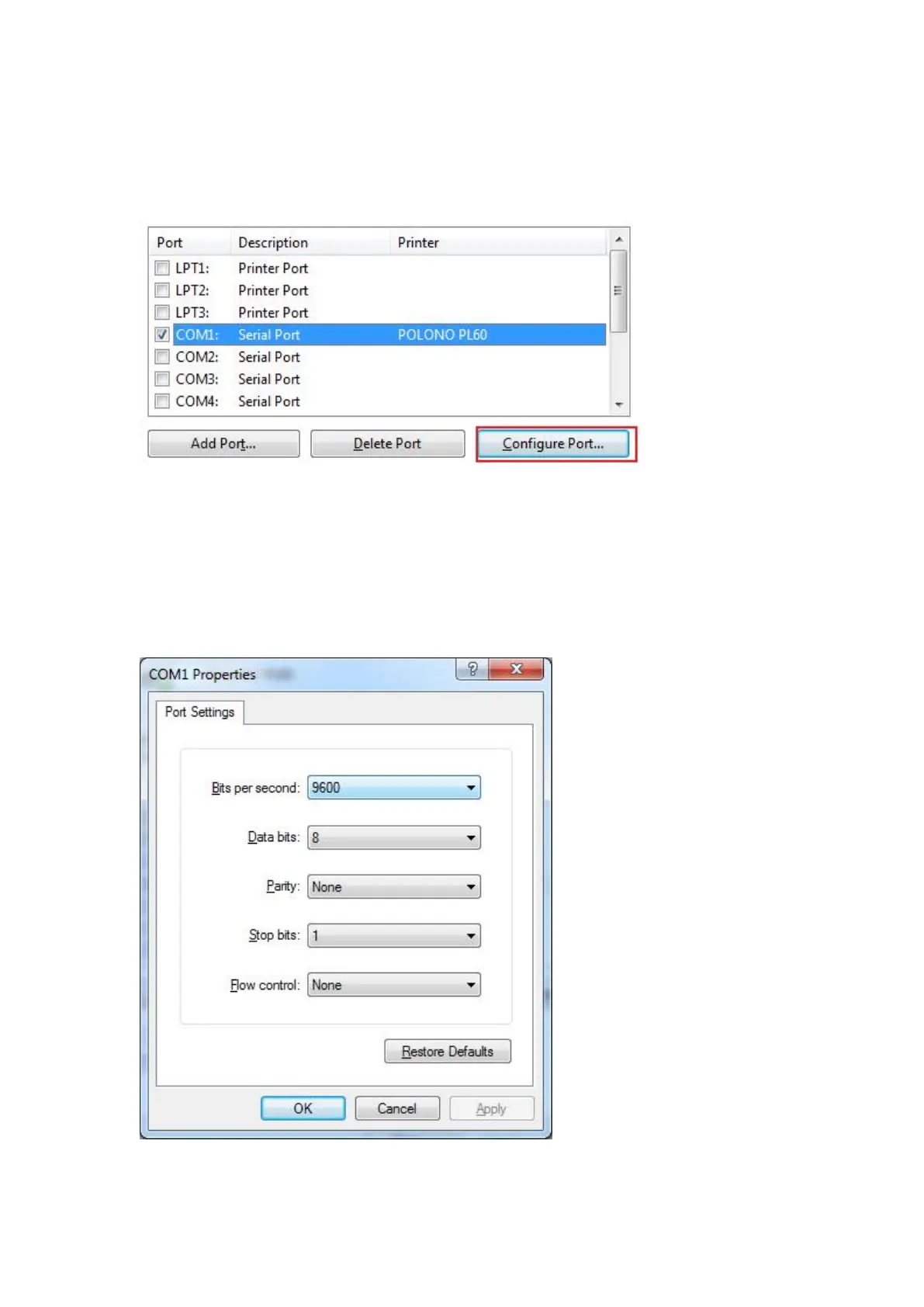
For example, configure the port as a serial port.
1) Check serial port and click "configure port"
2) After opening the "configuration port", you can view the port data by printing the
self-test page. Change the information on the "port setting" to the same port data on
the self-test page. After the modification, click "OK".


 To Next Page