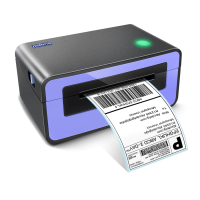
PL60 User Manual
Note: Violating the following instructions may cause slight damage of the product.
1) If you observe any strange smoke, odor or noise from the printer, unplug it before taking the
following measures.
• Switch off the printer and unplug from the mains.
• After the disappearance of the smoke, call your dealer for repair.
2) Operate the printer on a stable surface.
• If the printer falls down, it may break and you may hurt yourself.
3) Only Use the approved accessories and do not try to disassemble, repair or remodel the
printer by yourself.
• Call your dealer when you need these services.
• Do not touch the auto cutter blade.
4) Do not let water or other foreign objects drop into the printer.
• If this happens, switch off and unplug the printer before calling your dealer.
5) Do not use the printer when it is out of order. This can cause a fire or an electrocution.
• Switch off and unplug the printer before calling your dealer.
6) Other considerations:
• Place the printer on a solid and even base so that it cannot fall.
• Leave enough space around the printer for operation and maintenance.
• Keep all liquids away from the printer.
• Do not expose the printer to high temperatures, direct sunlight or dust.
• Ensure the printer is connected to a socket with the correct voltage rating.
• Unplug the printer if it is not in use for a long time.
• To ensure the printing quality and reliability, use the same quality or recommended


 To Next Page