ZONEMASTER UNIPOINT RF DAMPER CONTROL SYSTEM - Owner’s Manual
Page 5
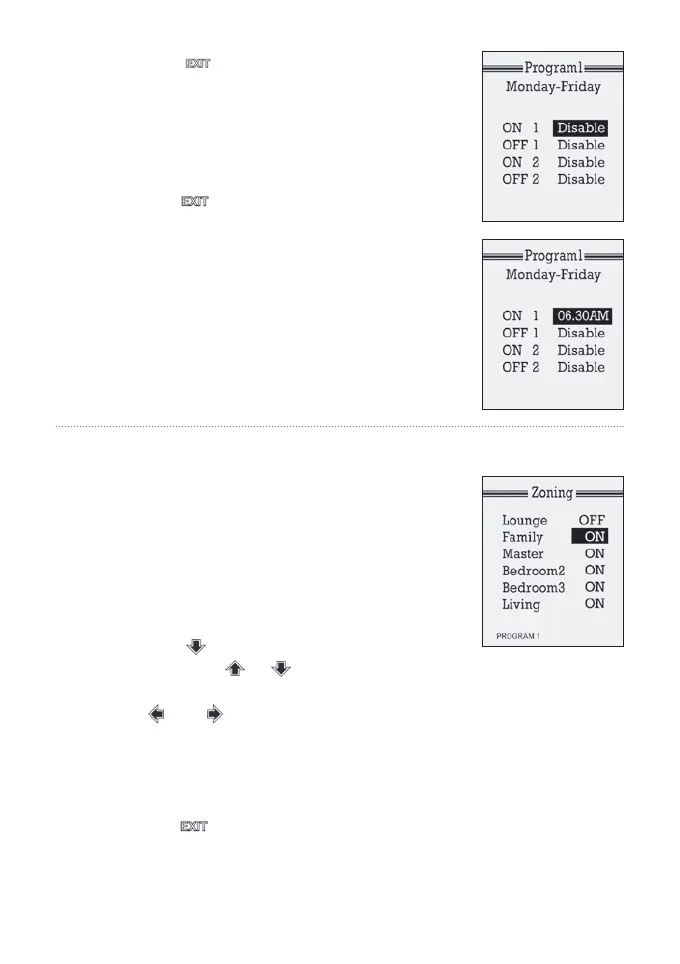
7) Press the button to go back to program
setting menu.
8) Follow steps 3) to 6) to set the off time or disable
the event for other times in the program.
9) Repeat steps 2) to 8) to set all the time for the
other programs.
10) Pressing button can exit the clock and
programming mode. Alternatively, it will return to
the sleep mode itself in 15 seconds with no key
being pressed.
3c)
Select a program for a particular zone
The various zones should have been given names
by your installer that correspond with the particular
rooms in your house. If this has not happened call
your installer to get this rectied.
1) Make sure that at least one of the four
programs is enabled by setting up all the
parameters in the program.
2) Press the button to get into zoning screen,
and then press or button to select the
zone.
3) Use and button to select the enabled
program. The program will be shown at the
bottom of the screen.
4) Repeat steps 2) and 3) to choose programs for
other zones.
5) Pressing button can exit the zone operation
mode. Alternatively, it will return to the sleep mode
itself in 15 seconds with no key being pressed.



 To Next Page