DOC2207A RSS 2000 V3.0 Getting Started guide - Release Note - Final - February 26, 2008.doc
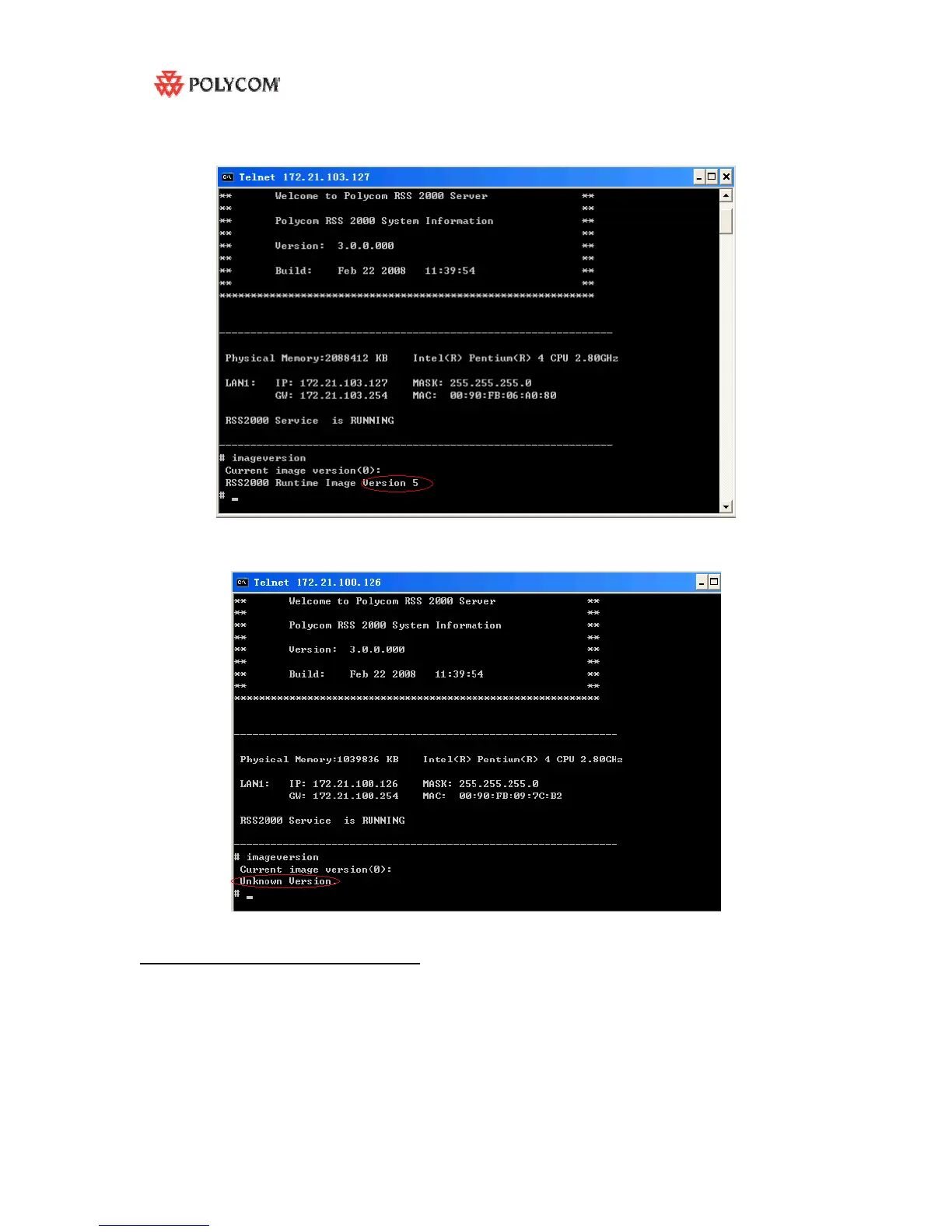
4: At command prompt, enter “imageversion” (without quotation marks)
5: If the version # is “ 5” ( see the screenshot below ), indicates the RSS2000 can be upgraded
with additional language options.
6: If the image version is not 5 , it will show unknown version , means if you want to support
additional languages , need to refresh the image , the old image don’t have full support for
additional languages, so please contact your service provider .
Upgrade additional language package
a) Log in to RSS , go to “ . - System Configuration > Upgrade/Reset System” page .
b) Download the “RSS2000.3.0.0.0_part2_addtional languages . pkg” to RSS , then
Restart



 To Next Page