basic and advanced operations.
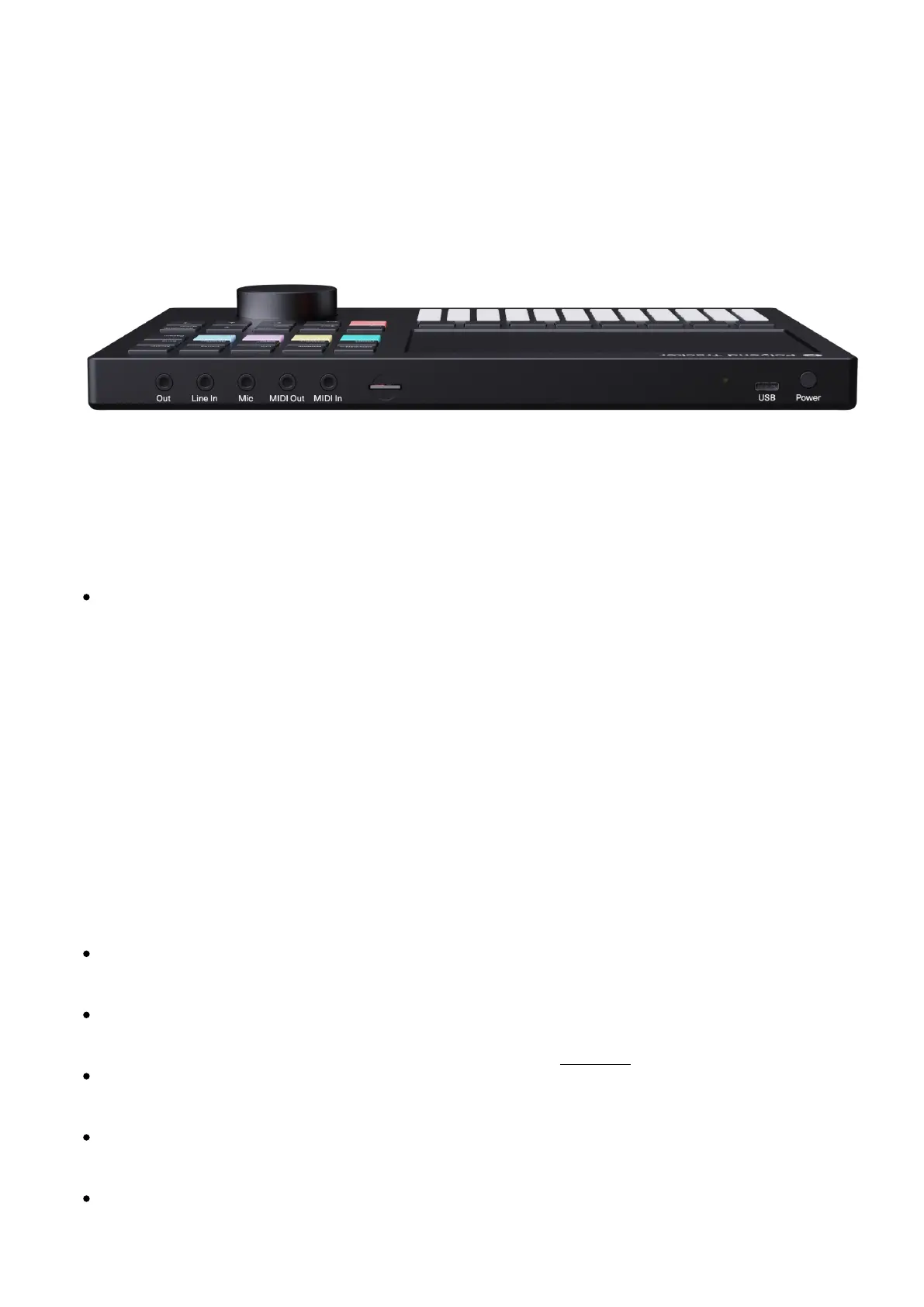
Back panel
On the back panel, from left to right – find the following ports:
Out – main headphones/line stereo audio output port – use a 3.5mm stereo plug (adapter to
1/4” jack is included in the kit).
A cable inserted to this port will serve as the onboard FM radio antenna.
Line input port – use a 3.5mm stereo or mono plug.
Microphone input port – use a 3.5mm stereo or mono plug.
MIDI data output port – use the included TRS type-B 3.5mm jack to MIDI DIN adapter to
connect to MIDI Input of an external MIDI device.
MIDI data input port – use the included TRS type-B 3.5mm jack to MIDI DIN adapter to
connect to MIDI Out of an external MIDI device.
SD card slot – use the included16 GB micro SD card as a data storage.
The micro SD card needs to be inserted in the port in order to make the Polyend
Tracker operational.
The micro SD card must be formatted as MS-DOS Fat32. In order to format larger
capacity SD cards with Fat32 partition, you may use this tool.
Use the included micro SD card to USB type-A dongle adaptor to access the SD card
from a computer.
The included SD card is 16GB but SD cards with a bigger capacity can be used
(successfully tested up to 256GB).
Sample folders containing more than 100 files will be automatically split to subfolders.



 To Next Page