
 Need help?
Do you have a question about the Polytron funtastix and is the answer not in the manual?
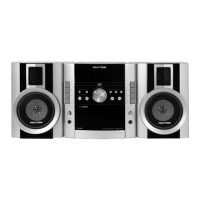
Lists the key capabilities and functions of the Polytron funtastix stereo system.
Guidelines for preventing condensation build-up inside the unit.
Explains safety symbols like CLASS 1 LASER PRODUCT and CAUTION.
Local regulations for packaging, battery, and ex-unit disposal.
Identifies and describes the buttons and displays on the front panel of the unit.
Details the various input/output terminals and connectors on the rear of the unit.
Identifies components on the top of the unit, including docking and card slots.
Describes the components of the speaker box, including tweeter and woofer.
Explains the symbols and information displayed on the Vacuum Fluorescent Display.
Instructions on how to clean the exterior of the Polytron funtastix unit.
Procedures for cleaning the tape head and path using a cleaning cassette or fluid.
Guidelines for handling and cleaning discs to ensure optimal playback.
Recommendations for maintaining cassette tapes and preventing damage.
Information on using the recording safety tab on cassette tapes.
Connects speakers to the unit, ensuring correct polarity and placement.
Instructions for connecting and positioning the AM loop antenna for optimal reception.
Details the use of the microphone terminal for amplification or karaoke functions.
Explains how to use FM DX and FM LOCAL modes for optimal radio signal reception.
Guides on manually tuning radio stations using frequency buttons.
Instructions for automatic station scanning and stopping when a signal is found.
How to tune directly to a specific radio frequency using numeric buttons.
Steps to save up to 40 radio stations for quick access.
How to turn the unit ON, place it in standby mode, and turn it OFF permanently.
Setting the unit to automatically enter standby mode after a specified time.
Connecting USB flash drives or MP3/MP4 players for media playback.
Inserting SD, MMC, or MS cards for media playback.
Connecting compatible MP3/MP4 players to the docking terminal for playback and charging.
Adjusting the sound output level of the unit.
Selecting from five preset equalizer settings like ROCK, POP, CLASSIC, JAZZ, and FLAT.
Activating and deactivating the surround sound effect for expanded audio.
Using the Bazzoke function to enhance the bass response of the audio.
Temporarily silencing the audio output of the unit.
Steps for inserting and playing DVD, SVCD, VCD, and CD discs.
Setting subtitle language and disc menu language for DVD playback.
Configuring parental restrictions and managing the password for DVD playback.
How to insert and play cassette tapes on the unit.
Instructions for recording audio from other sources onto a cassette tape.
Configuring audio output settings like Downmix, SPDIF Output, and DRC.
Adjusting video settings such as TV Mode, Sharpness, Brightness, and Contrast.
Configuring TV System, Audio, Subtitle, Disc Menu, Parental, Password, and Default options.
Playing MPEG4/MP3/JPEG files continuously without regard to folder structure.
Navigating and playing files organized within folders on the media.
Creating and playing custom playlists of MPEG4/MP3/JPEG files.
Configuring general player settings like TV Display, Angle Mark, Captions, and Screen Saver.
Displaying elapsed and remaining time for titles, chapters, or tracks.
Navigating to specific titles, chapters, tracks, or times on discs.
Setting up a sequence of tracks or chapters for playback.
Accessing disc menus and playing specific titles on DVDs.
Navigating between tracks or chapters on discs.
Speeding up or slowing down playback to find specific parts of content.
Playing content in slow motion for detailed viewing.
Viewing content frame by frame.
Setting playback to repeat a track, chapter, title, or the entire disc.
Enlarging the picture during playback for detailed viewing.
Choosing the desired audio language track for DVD playback.
Selecting the preferred subtitle language for DVD playback.
Changing the viewing angle during DVD playback if multiple angles are available.
 General
| Brand | Polytron |
|---|---|
| Model | funtastix |
| Category | Cassette Player |
| Language | English |

 To Next Page