17
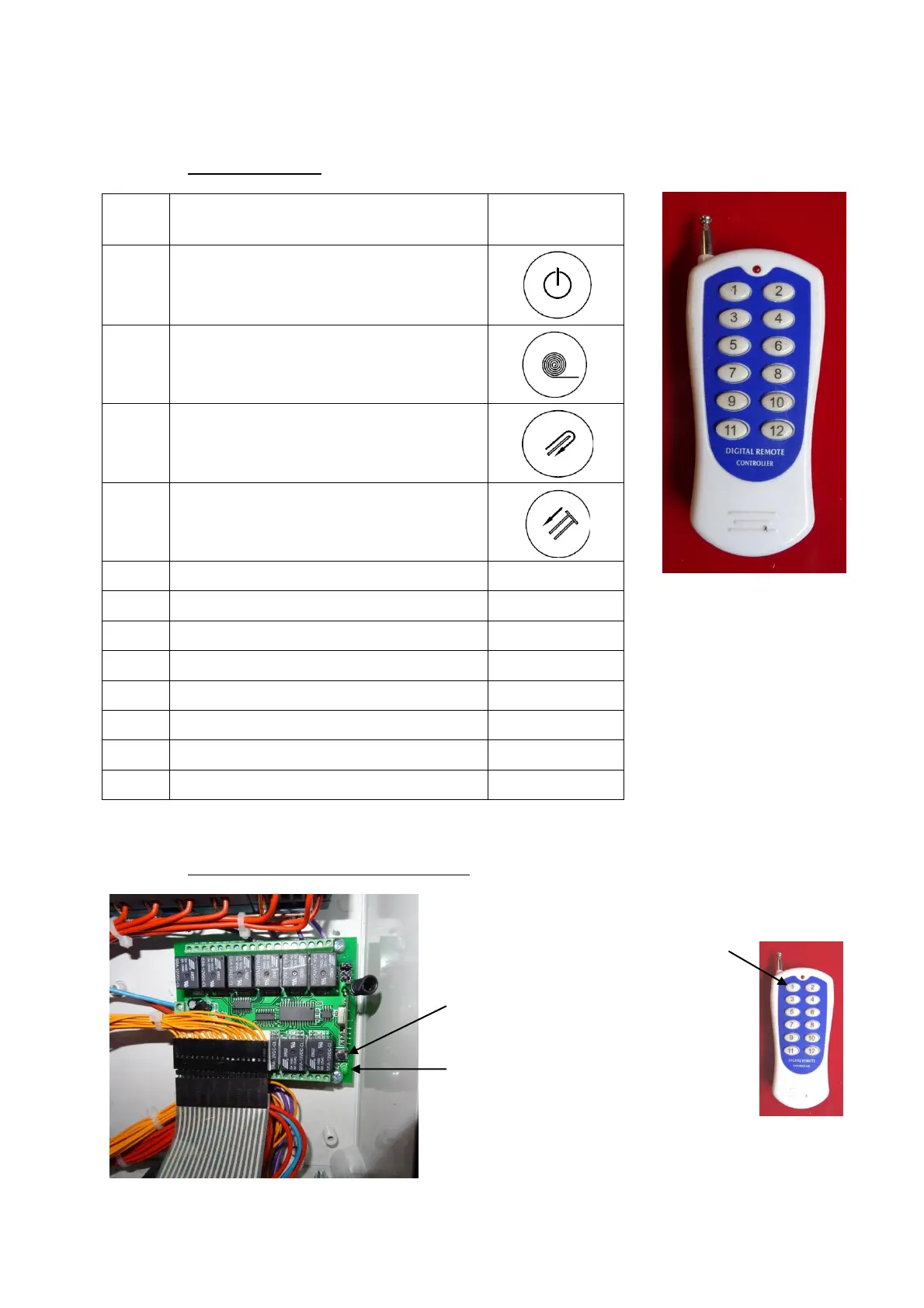
11.3. Remote control
This button starts the wrapping process.
It can also stop it again if pushed once
again.
When pushing this button, the wrapper
rotates the foil.
Push this button to activate the chains
on the spears.
When pushing this button the pusher
arms retract.
11.4. Programming the remote control
If you have to program a new
remote control you need to
open the electrical-bok and
press the black button A then
the lamp B lights up. Then
press the 1 button on the
remote control. Then the
remote control is ready for use.



 To Next Page