22
9. TROUBLESHOOTING
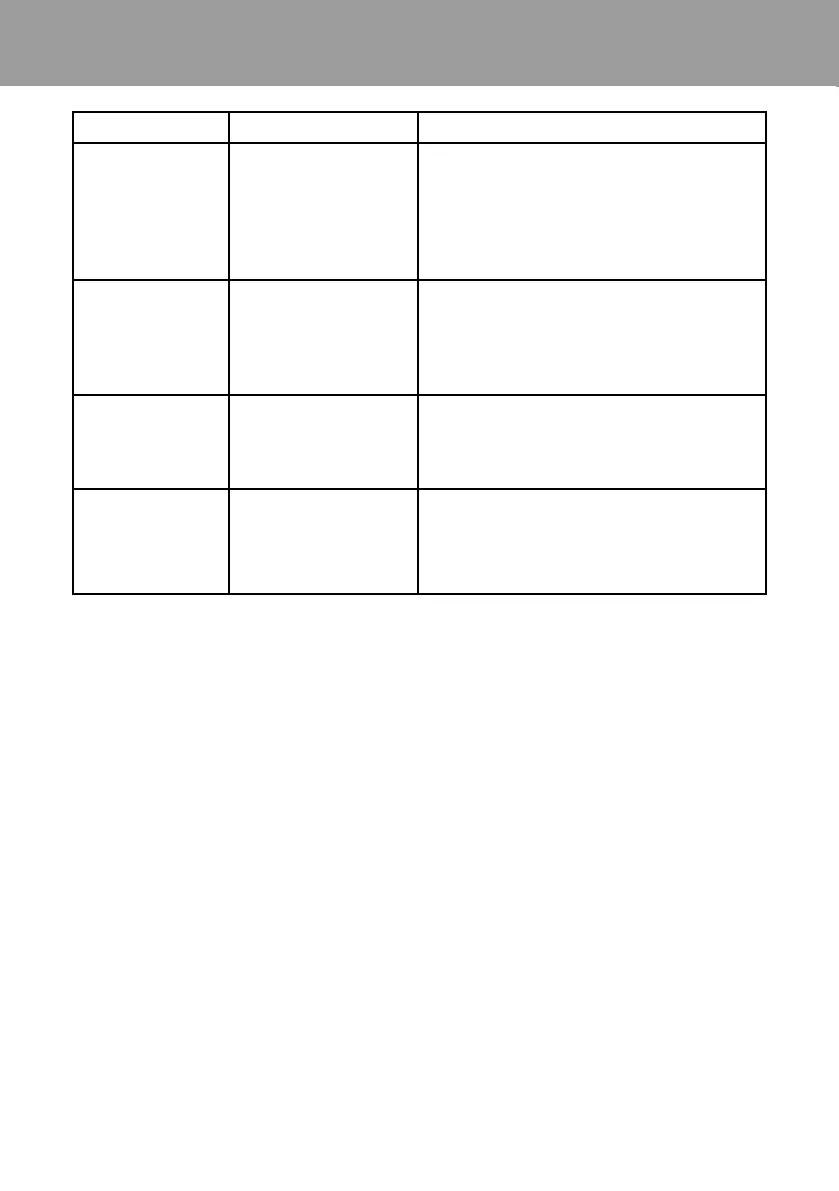
Problem Possible Cause Corrective Action
«High
Salt» LED
illuminated
Check salt level in pool/spa. If salt
level is too high, lower salt level by
draining some of the pool water out of
the pool and replace with fresh water.
Continue until the salt concentration is at
recommended levels.
“Inspect
Cell” LED
ashing
Inspect and clean cell according to
directions. When done, press the
“diagnostic” button for 3 seconds to stop
the “Inspect Cell” LED ashing.
“Inspect
Cell” LED
illuminated
Remove and inspect the cell for scale. If
the cell is scaled, follow the directions on
page
“PCB”
displayed and
all 4 LEDs are
illuminated.
A possible printed
circuit board fault has
been detected.
Call for service.
Possible causes of low chlorine or no chlorine
• Chlorinator switch in OFF position.
• Desired Level% adjustment setting is too low.
• Low stabilizer (Cyanuric Acid).Chlorine is being produced but the pool water is unable
to hold on to the chlorine, due to low stabilizer.
• Filter pump switched o or lter pump time too short (8 hours for average size pools,
more for large pools).
• Salt level too low (below 2500 ppm, Low Salt LED on).
• Salt level too high (high Salt LED on).
• Low pH. Low pH oxidizes chlorine quickly, making it dicult to maintain desired
chlorine levels. Adjust pH levels to re-balance water.
• Warm pool water increases chlorine demand—increase Desired Level% or lter run
time.
• Cold water (below 50F) can cause Chlorinator to stop generating (Generating LED
ashing).
• Excessive scaling on cell.
9. TROUBLESHOOTING


 To Next Page