8
Plumb
NOTE: OTHER BEAMS HAVE BEEN OMITTED FROM ILLUSTRATION FOR CLARITY.
Plumbing a surface
1. Position laser square close to the surface to be plumbed.
2. Turn on laser square.
3. Measure distance A at a point relatively close to laser square and make a
note of the distance.
4. Measure distance B at a point further away from laser square and make a
note of the distance.
Note: The greater the distance between the two points of measurement,
the greater the accuracy.
5. Compare distance A with distance B. If distance A equals distance B, then
the surface is plumb. If distance A does not equal distance B, then the
surface is not plumb and should be corrected.
8. Laser Square applications
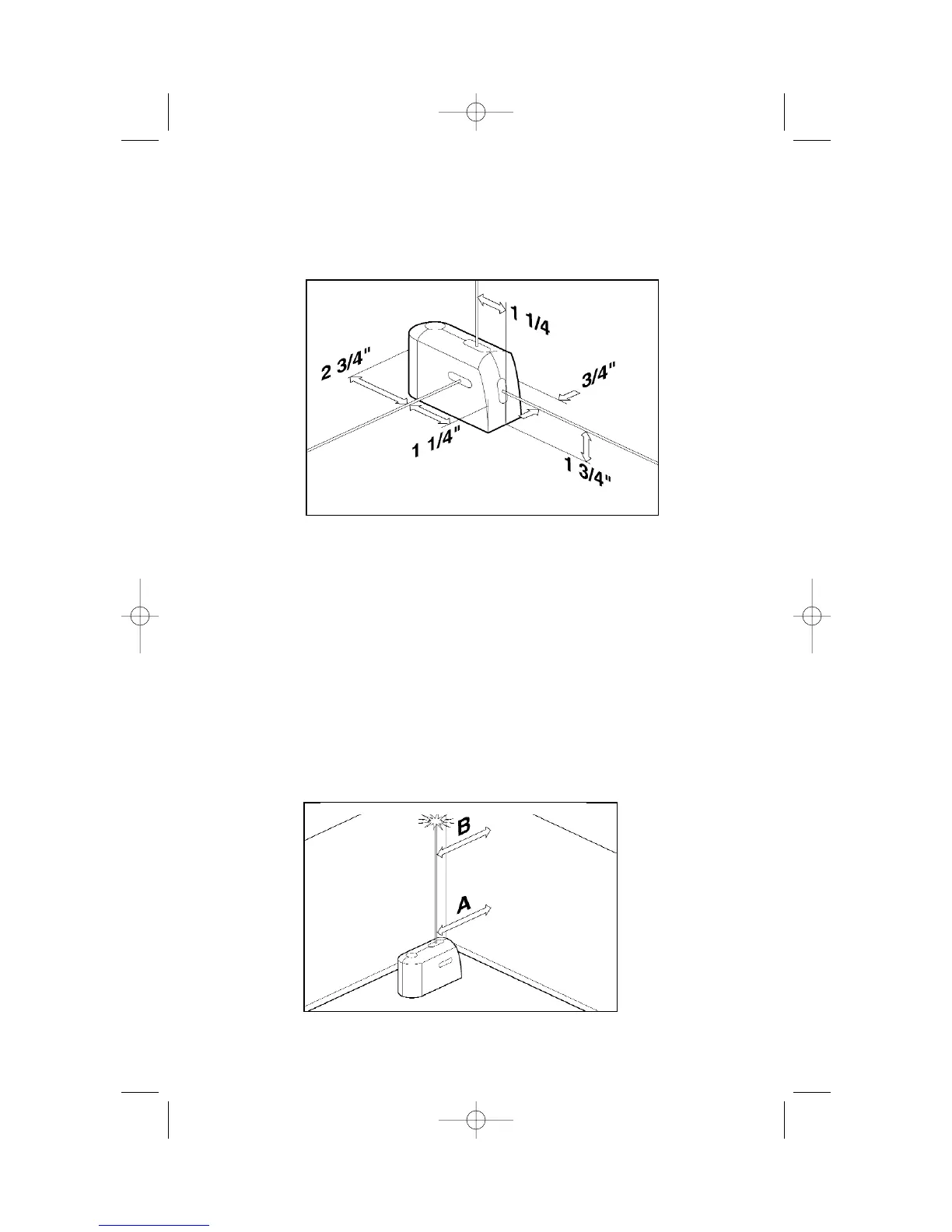
Use the laser offset information provided in the illustration below to speed
plumbing, squaring and leveling operations.
7. Laser offsets
Laser offsets
"
"


 To Next Page