9
Level
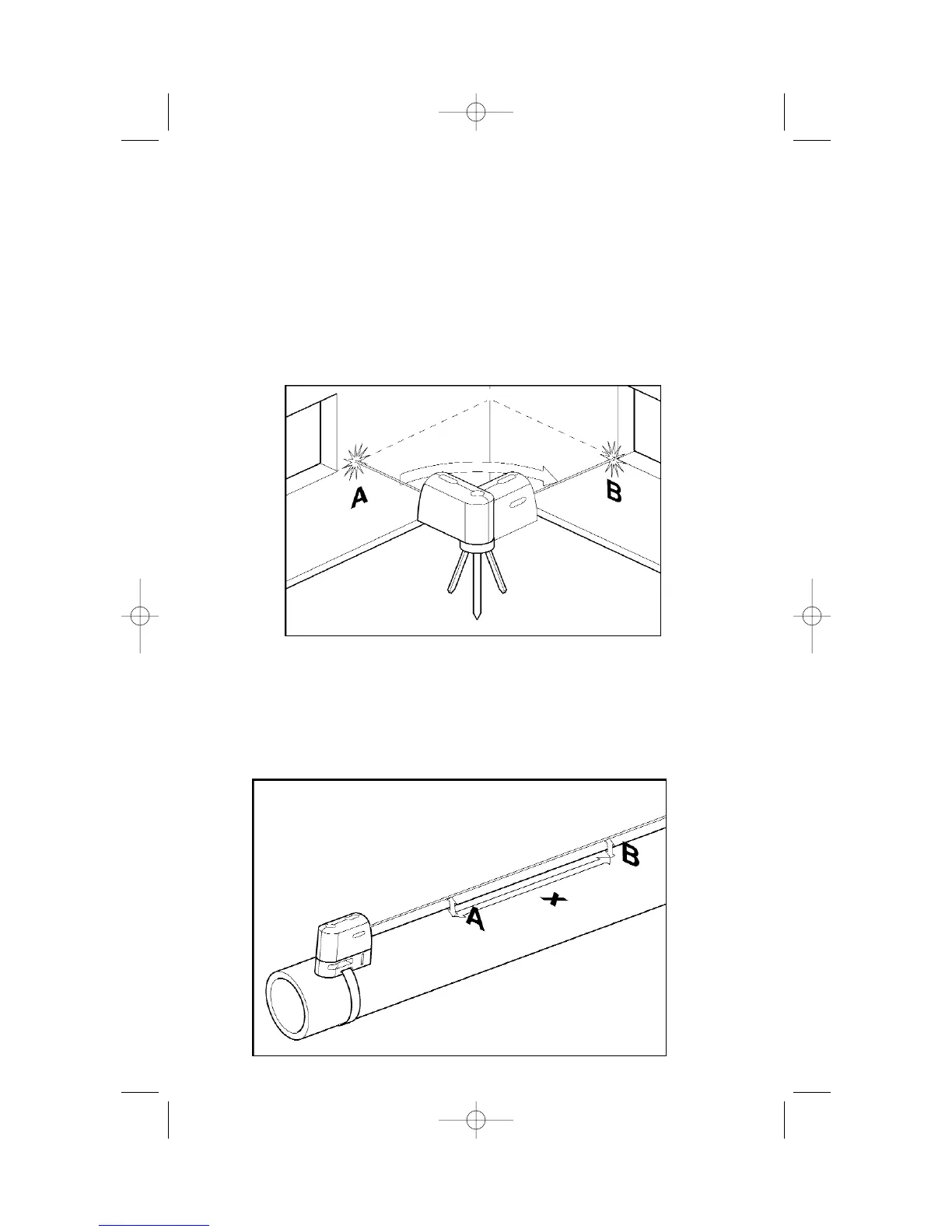
NOTE: OTHER BEAMS HAVE BEEN OMITTED FROM ILLUSTRATION FOR CLARITY.
Leveling
1. Adjust the height of laser square using the mounting accessory or a tripod
so that the horizontal beam hits a reference point (labeled A in this
illustration).
2. Rotate laser square around its mounting axis to position the leveling beam at
a point of interest (labeled B in this illustration).
Note: It is possible to use the beam as a leveling instrument without
marking a line through beam locations, however, some may find it
more satisfying to mark the beam location at a variety of points and
then create a straight line through those points to achieve a level line.
Grading
1. Position laser square at the highest point of the surface to be graded.
2. Turn laser square on.
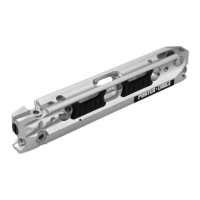
3. Measure distance A and make a note of the distance.
4. Measure distance B at distance X away from A and note these distances.
5. Slope=(B - A)/X
Note: To calculate Pitch, set X equal to 12". "
Grade
NOTE: OTHER BEAMS HAVE BEEN OMITTED FROM ILLUSTRATION FOR CLARITY.


 To Next Page