EasyManua.ls Logo

Porter-Cable PCC795 - User Manual

Porter-Cable PCC795
36 pages
Print Icon
To Next Page IconTo Next Page
Loading...
final page size: 8.5 x 5.5 in
www.portercable.com
Instruction manual
Manuel d’instructions
Manual de’instrucciones
Thank you for choosing PORTER-CABLE! To register your new product, go to:
www.portercable.com/ServiceAndSupport/ProductRegistration.aspx
Merci d’avoir choisi PORTER-CABLE! Consulter le site Web www.portercable.com/ServiceAndSupport/
ProductRegistration.aspx pour enregistrer votre nouveau produit.
Gracias por elegir PORTER-CABLE usted! Para registrar su nuevo producto, visite: www.portercable.com /
ServiceAndSupport / ProductRegistration.aspx
INSTRUCTIVO DE OPERACIÓN, CENTROS DE SERVICIO Y PÓLIZA DE GARANTÍA.
ADVERTENCIA: LÉAS E ESTE INSTRUCTIVO ANTES DE USAR EL PRODUCTO.
Catalog Number
N° de catalogue
Catálogo N°
PCC795
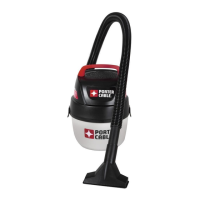
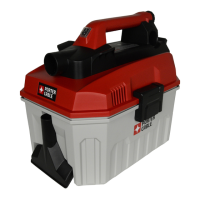
20V Max* 2.0 Gallon Wet/Dry Vacuum
Aspirateur sec/humide 2,0 gallons, 20 V Max*
Aspiradora en seco/húmedo de 2,0 galones de 20 V Máx*

Questions and Answers

  • J
    Jessica BrownAug 10, 2025
    What to do if my Porter-Cable Vacuum Cleaner has reduced suction?
    • J
      Jeremy RussellAug 10, 2025
      If your Porter-Cable Vacuum Cleaner has reduced suction, you should first empty the tank. If the issue persists, try cleaning or replacing the filter.
  • R
    reyeskyleAug 18, 2025
    Why does my Porter-Cable Vacuum Cleaner shut off abruptly?
    • D
      danamillerAug 18, 2025
      If your Porter-Cable Vacuum Cleaner unit shuts off abruptly, it could be due to two reasons. First, the battery pack may have reached its maximum thermal limit; in this case, allow the battery pack to cool down. Second, the battery pack may be out of charge. Place it on the charger and allow it to charge.
  • S
    Sarah MartinAug 25, 2025
    How to fix a Porter-Cable Vacuum Cleaner that will not start?
    • T
      Terry GentryAug 26, 2025
      If your Porter-Cable Vacuum Cleaner won't start, begin by checking the battery pack installation and charging requirements. Ensure the tool is allowed to cool down. If problems persist, have the motor replaced by an authorized PORTER-CABLE service center.
  • M
    Mark ChavezSep 2, 2025
    What to do if Porter-Cable Vacuum Cleaner battery pack will not charge?
    • M
      Michael MartinSep 2, 2025
      If the battery pack for your Porter-Cable Vacuum Cleaner will not charge, ensure that the battery pack is correctly inserted into the charger until the LED illuminates. Also, verify that the charger is plugged into a working outlet. For more details, refer to the "Important charging notes". Finally, move the charger and battery pack to a surrounding air temperature of above 40 degrees F (4,5°C) or below 105 degrees F (+40,5°C).

Summary

IMPORTANT SAFETY INSTRUCTIONS

BATTERIES AND CHARGERS

Important Safety Instructions for All Battery Packs

Key safety guidelines for using and handling battery packs.

Important Safety Instructions for All Battery Chargers

Safety guidelines for using and handling battery chargers.

Charging a Battery

Step-by-step guide on how to charge a battery pack.

USING THE VACUUM

Dry Vacuum Cleaning

Steps for emptying the tank after dry vacuuming operations.

Wet Vacuum Cleaning

Steps for emptying the tank after wet vacuuming operations.

Troubleshooting Guide

Porter-Cable PCC795 Specifications

General IconGeneral
BrandPorter-Cable
ModelPCC795
CategoryVacuum Cleaner
LanguageEnglish

Related product manuals