Инструкция к сканеру штрих-кода
Poscenter OT 2D
Contents
1: Start .................................................................................................................................. 1
About user manual .............................................................................................................................. 1
Reset default ......................................................................................................................................... 1
Interface mode initialization ............................................................................................................... 1
2: Function mode setting .................................................................................................. 2
About Function mode setting ............................................................................................................ 2
Operating mode ................................................................................................................................... 2
Barcode on/off ...................................................................................................................................... 4
Image reversal ...................................................................................................................................... 5
Lighting settings ................................................................................................................................... 5
Speaker settings .................................................................................................................................. 6
Beeper duration .................................................................................................................................... 6
Dormancy settings ............................................................................................................................... 7
Three-level lighting setting ................................................................................................................. 7
Code reading timeout setting ............................................................................................................ 8
Interface settings .................................................................................................................................. 9
RS232 interface ................................................................................................................................... 9
Data bit ................................................................................................................................................ 10
Stop bit ................................................................................................................................................ 10
Check bit setting ................................................................................................................................ 10
3:Output settings .............................................................................................................. 11
About output settings ....................................................................................................................... 11
Carriage return/line feed setting .................................................................................................... 11
Remove the barcode line at the beginning/end ......................................................................... 11
Set barcode length ........................................................................................................................... 12
Additional code settings .................................................................................................................. 12
Chinese output in keyboard mode ................................................................................................ 13

 Need help?
 General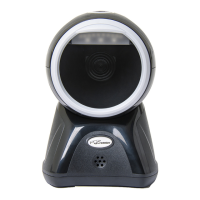

 To Next Page
