28
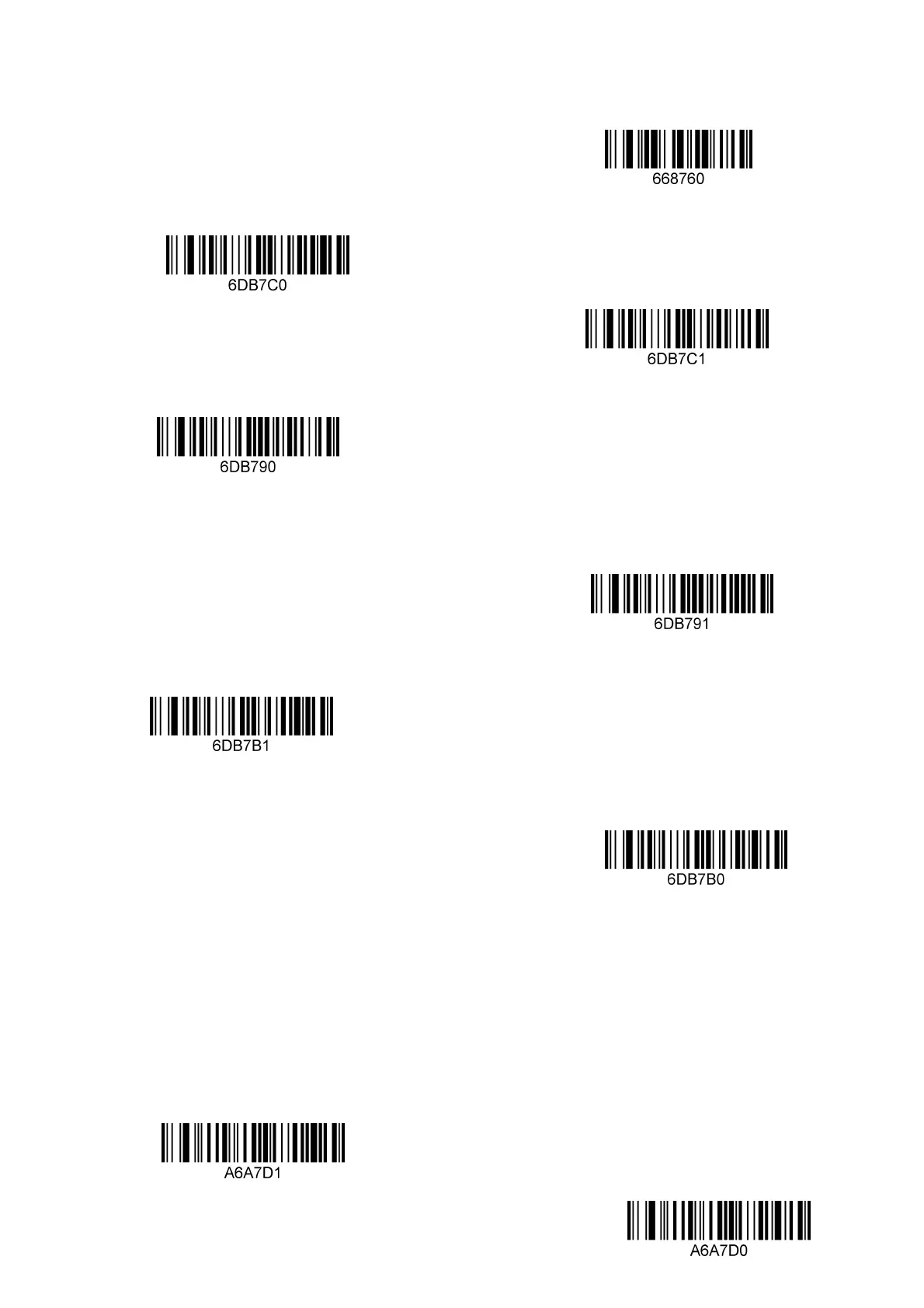
Disable
* UPC-E does not output check digit
UPC-E output check digit
*UPC-E does not output header characters
UPC-E output header characters
UPC-E extended to 12 bits
* Prohibit UPC-E expansion to 12 bits
5: Special function configuration (example)
About Special function configuration
This chapter enumerates some configuration examples used by the device, and
specifically explains the configuration methods of special functions, which is
convenient for users to perform actual operations and familiarize themselves with the
use of the product. You only need to scan the corresponding configuration codes
according to the requirements to complete the special function configuration.
Only set the prefix and suffix of cross 25 code
Turn on


 To Next Page