EasyManua.ls Logo

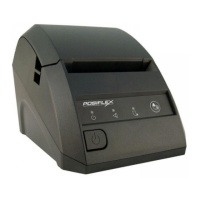
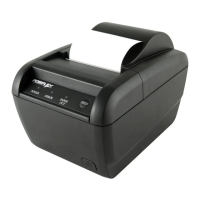
POSIFLEX Aura - 6800 - User Manual

POSIFLEX Aura - 6800
20 pages
Print Icon
To Next Page IconTo Next Page
Loading...
FCC Notes:
This equipment generates, uses, and can radiate radio frequency
energy and, if not installed and used in accordance with the instructions manual, may cause
interference to radio communications. It has been tested and found to comply with limits for a
Class A digital device pursuant to subpart J of Part 15 of FCC Rules, which are designed to
provide reasonable protection against interference when operated in a commercial environment.
Operation of this equipment in a residential area is likely to cause interference in which case the
user at his own expense will be required to take whatever measures to correct the interference.
CE manufacturer’s Declaration of Conformity
(EC Council Directive 89/336/EEC of 3 May 1989)
This product has been designed and manufactured in accordance with the International Standards
EN50081-1/01.92 and EN50082-1/01.92 following the provisions of the Electro Magnetic
Compatibility Directive of the European Communities as of May 1989
Warranty Limits:
Warranty terminates automatically when any person other than the authorized technicians opens
the machine. The user should consult his/her dealer for the problem happened. Warranty voids if
the user does not follow the instructions in application of this merchandise. The manufacturer is by
no means responsible for any damage or hazard caused by improper application.
About This Manual:
Posiflex has made every effort for the accuracy of the content in this manual. However, Posiflex
will assume no liability for any technical inaccuracies or editorial or other errors or omissions
contained herein, nor for direct, indirect, incidental, consequential or otherwise damages, including
without limitation loss of data or profits, resulting from the furnishing, performance, or use of this
material.
This information is provided “as is and Posiflex Technologies, Inc. expressly disclaims any
warranties, expressed, implied or statutory, including without limitation implied warranties of
merchantability or fitness for particular purpose, good title and against infringement.
The information in this manual contains only essential hardware concerns for general user and is
subject to change without notice. Posiflex reserves the right to alter product designs, layouts or
drivers without notification. The system integrator shall provide applicative notices and
arrangement for special options utilizing this product. The user may find the most up to date
information of the hardware from web sites: http://www.posiflex.com or
http://www.posiflex.com.tw or http://www.posiflexusa.com
All data should be backed-up prior to the installation of any drive unit or storage peripheral.
Posiflex will not be responsible for any loss of data resulting from the use, disuse or misuse of this
or any other Posiflex product.
All rights are strictly reserved. No part of this documentation may be reproduced, stored in a
retrieval system, or transmitted in any form or by any means, electronic, mechanical, photocopying,
or otherwise, without prior express written consent from Posiflex Technologies, Inc. the publisher
of this documentation.
© Copyright Posiflex Technologies, Inc. 2009
All brand and product names and trademarks are the property of their respective holders.

Aura
-
6800
THERMAL PRINTER
USER’S MANUAL
Rev.: A0
P/N:
1978090002
0

Questions and Answers

  • M
    Mr. Michael CarterJul 30, 2025
    What to do if nothing can be printed and the ERROR LED is flashing on my POSIFLEX Aura - 6800?
    • G
      gilmorejamesJul 31, 2025
      If the ERROR LED is flashing on your POSIFLEX printer, it likely means the print head temperature is too high due to prolonged use. Allow a few minutes for the print head to cool down under normal ventilation. Once cooled, the Error LED should stop flashing, and printing will resume. If this does not happen, contact a qualified service person.
  • C
    Charles WhiteAug 5, 2025
    Why is my POSIFLEX Aura - 6800 producing poor printing quality?
    • M
      Marc CervantesAug 5, 2025
      Poor printing quality on your POSIFLEX printer could be due to contaminants like paper scraps and dust on the thermal print head. Clean the print head as described in the previous section.
  • A
    Amanda MorrisAug 9, 2025
    What to do if nothing can be printed and the ERROR LED is OFF on my POSIFLEX Aura - 6800 Printer?
    • C
      Cheyenne LewisAug 9, 2025
      First, run a self-test to check if the POSIFLEX printer itself is working correctly. If the self-test passes, check the connection of the interface cable at both the printer and computer ends, ensuring it meets the required specifications. Also, verify the printer data communication settings against the computer settings, which can be found on the self-test printout. If the problem persists or the self-test fails, contact your dealer or a qualified service person.
  • B
    Brent BakerAug 15, 2025
    How to troubleshoot no LED lights on the control panel of my POSIFLEX Aura - 6800?
    • M
      Martin MckayAug 15, 2025
      Ensure the power supply cables are correctly plugged into the POSIFLEX printer, the power adapter, and the power outlet. Verify that the power outlet is supplying power. If a switch or timer controls the outlet, try using another outlet.
  • J
    Joseph MurrayAug 19, 2025
    What to do if nothing can be printed and the ERROR LED is ON on my POSIFLEX Aura - 6800 Printer?
    • J
      John UnderwoodAug 19, 2025
      First, check if the Paper Out LED is illuminated. If it is, the paper roll may be missing or near its end; install a new roll. If the Paper Out LED is off, ensure the print hood is properly closed by pressing down on the middle of the hood until it clicks. If the issue persists, try pulling the hood lock forward. If none of these resolve the problem and there's no paper jam or overheating, turn off the printer, wait 30 seconds, and turn it back on. If the problem continues, contact a qualified service person.
  • V
    Vanessa LeeAug 25, 2025
    How to fix paper jam inside my POSIFLEX Aura - 6800 Printer?
    • B
      Brandon McguireAug 26, 2025
      To remove jammed paper from your POSIFLEX printer, push down the hood release button to open the top hood. Remove the jammed paper and reinstall the paper roll. Ensure you close the hood properly and firmly. If the auto cutter is jammed, try re-closing the hood and opening it again. Never force the top hood open. Also, clear away any contaminants accumulated in the cutter track above the thermal elements.

Summary

QUICK START-UP PROCEDURES

LOADING PAPER

Step-by-step instructions for loading a thermal paper roll into the printer.

CONNECTING CABLES

Serial, Parallel, LAN, USB Ports

Describes the connection methods via serial, parallel, LAN, and USB interfaces.

POWER CONNECTION AND SELF TEST

POWER CONNECTOR DETAILS

Explains how to properly connect the power adapter and cord to the printer.

SPECIAL ADJUSTMENTS

DRIVER INSTALLATION AND LAN ISSUES

INSTALLING PRINTER DRIVERS

Information on installing drivers from the provided CD or similar media.

OPERATION AND MAINTENANCE

PRINT HEAD CLEANING PROCEDURE

Detailed steps for cleaning the thermal print head to ensure print quality.

TROUBLESHOOTING COMMON PROBLEMS

GENERAL TROUBLESHOOTING

Addresses issues like no LEDs lighting up or power supply problems.

PRINTING ISSUES

Solutions for problems where the printer is not printing, including error LED states.

ADVANCED TROUBLESHOOTING

POOR PRINT QUALITY

Diagnoses and resolves issues related to degraded print quality.

PAPER JAM RESOLUTION

Provides steps to clear paper jams and address auto-cutter issues.

TECHNICAL SPECIFICATIONS

SOFTWARE SWITCH SETTINGS

POSIFLEX Aura - 6800 Specifications

General IconGeneral
Print MethodThermal Line Printing
Paper Width80 mm
InterfaceUSB, Serial, Ethernet
Print Speed200 mm/s
Resolution8 dots/mm (203 dpi)

Related product manuals