EasyManua.ls Logo

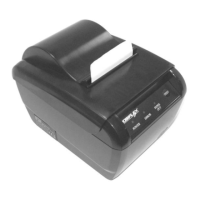
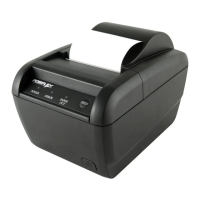
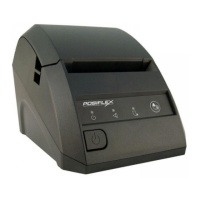
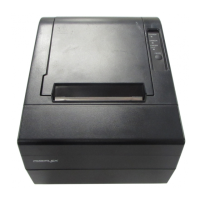
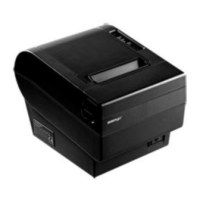
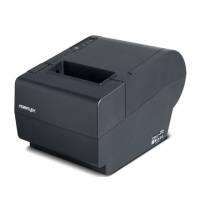
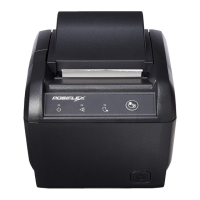
POSIFLEX AURA PP-8000 - User Manual

POSIFLEX AURA PP-8000
20 pages
Print Icon
To Next Page IconTo Next Page
Loading...
Part 1
FCC Notes:
This equipment generates, uses, and can radiate radio frequency energy and, if not installed and
used in accordance with the instructions manual, may cause interference to radio communications.
It has been tested and found to comply with limits for a Class A digital device pursuant to subpart
J of Part 15 of FCC Rules, which are designed to provide reasonable protection against
interference when operated in a commercial environment. Operation of this equipment in a
residential area is likely to cause interference in which case the user at his own expense will be
required to take whatever measures to correct the interference.
CE manufacturers Declaration of Conformity
(EC Council Directive 89/336/EEC of 3 May 1989)
This product has been designed and manufactured in accordance with the International Standards
EN50081-1/01.92 and EN50082-1/01.92 following the provisions of the Electro Magnetic
Compatibility Directive of the European Communities as of May 1989
Warranty Limits:
Warranty terminates automatically when any person other than the authorized technicians opens
the machine. The user should consult his/her dealer for the problem happened. Warranty voids if
the user does not follow the instructions in application of this merchandise. The manufacturer is by
no means responsible for any damage or hazard caused by improper application.
About This Manual:
Posiflex has made every effort for the accuracy of the content in this manual. However, Posiflex
will assume no liability for any technical inaccuracies or editorial or other errors or omissions
contained herein, nor for direct, indirect, incidental, consequential or otherwise damages, including
without limitation loss of data or profits, resulting from the furnishing, performance, or use of this
material.
This information is provided as is and Posiflex Technologies, Inc. expressly disclaims any
warranties, expressed, implied or statutory, including without limitation implied warranties of
merchantability or fitness for particular purpose, good title and against infringement.
The information in this manual contains only essential hardware concerns for general user and is
subject to change without notice. Posiflex reserves the right to alter product designs, layouts or
drivers without notification. The system integrator shall provide applicative notices and
arrangement for special options utilizing this product. The user may find the most up to date
information of the hardware from web sites: http://www.posiflex.com or
http://www.posiflex.com.tw or http://www.posiflexusa.com
All data should be backed-up prior to the installation of any drive unit or storage peripheral.
Posiflex will not be responsible for any loss of data resulting from the use, disuse or misuse of this
or any other Posiflex product.
All rights are strictly reserved. No part of this documentation may be reproduced, stored in a
retrieval system, or transmitted in any form or by any means, electronic, mechanical, photocopying,
or otherwise, without prior express written consent from Posiflex Technologies, Inc. the publisher
of this documentation.
© Copyright Posiflex Technologies, Inc. 2008
All brand and product names and trademarks are the property of their respective holders.
Aura Series
PP-8000 / PP-8000L / PP-8000U
THERMAL PRINTER
USERS MANUAL
Rev.:
Original
P/N:
19770900010

Questions and Answers

  • J
    Jason EdwardsAug 16, 2025
    What to do if paper is jammed inside the POSIFLEX AURA PP-8000 Printer?
    • T
      thomas34Aug 17, 2025
      If paper jams inside the printer, turn off the printer and open the top hood by releasing the hood lock. Remove the jammed paper and reinstall the paper roll. Close the hood properly and firmly. Then turn the printer back on.
  • C
    Christopher ShortAug 19, 2025
    Why is the printing quality poor on my POSIFLEX AURA PP-8000 Printer?
    • L
      Lisa SchmidtAug 19, 2025
      Poor printing quality may be due to contaminants like paper scraps and dust on the thermal print head. Clean the print head as described in the relevant section.
  • N
    Nathan WaltersAug 22, 2025
    How to remove paper jam from POSIFLEX AURA PP-8000?
    • K
      Karina KirbyAug 22, 2025
      If paper is jammed inside your POSIFLEX Printer, turn off the printer and open the top hood by releasing the hood lock. Remove the jammed paper and reinstall the paper roll. Close the hood properly and firmly. Then turn on the printer for operation.
  • Z
    zclementsAug 25, 2025
    Why is the ERROR LED flashing and nothing prints on my POSIFLEX AURA PP-8000?
    • H
      hwhiteAug 26, 2025
      If nothing can be printed and the ERROR LED is flashing on your POSIFLEX Printer, it might be because the print head temperature is too high after prolonged use. Allow a few minutes for the print head to cool down under normal ventilation. The Error LED should stop flashing, and printing will resume once cooled.
  • M
    Maria Sanchez DDSAug 27, 2025
    What to do if nothing can be printed and ERROR LED is ON on POSIFLEX AURA PP-8000?
    • C
      Christopher TravisAug 27, 2025
      If nothing prints and the ERROR LED is on, the paper roll might not be installed, or it's near the end. Install a new paper roll. Alternatively, the print hood might not be properly closed; press it down in the middle until it clicks. If these don't work, pull the hood lock forward. If the hood still won’t release, check for a paper jam. If there is no paper jam and the print head is not overheated, turn off the printer, wait half a minute, and turn it back on.
  • K
    Kevin GloverAug 30, 2025
    What to do if nothing can be printed with ERROR LED OFF on POSIFLEX AURA PP-8000?
    • G
      gjohnsonAug 30, 2025
      If nothing is printing and the ERROR LED is off, run a self-test to see if the printer itself is working correctly. Also, check the connection of the interface cable at both the printer and computer ends, ensuring it meets the required specifications. Finally, verify the printer data communication settings against those on your computer; you can find the printer settings on the self-test printout.
  • E
    emmasmithSep 2, 2025
    How to fix POSIFLEX AURA PP-8000 when ERROR LED is flashing and nothing can be printed?
    • P
      Penny LeeSep 2, 2025
      If the ERROR LED is flashing and nothing can be printed, the print head temperature may be too high due to prolonged printing. After a few minutes under normal ventilation, the print head should cool down, and the Error LED will stop flashing. Printing will resume after it has cooled.
  • J
    Jason ScottSep 4, 2025
    How to fix POSIFLEX AURA PP-8000 Printer when no LED lights up on control panel when switched on?
    • J
      jonathantranSep 4, 2025
      If no LED lights up on the control panel when the printer is switched on, ensure that the power supply cables are correctly plugged into the printer, the power adapter, and the power outlet. Also, verify that the power outlet is receiving power. If the outlet is controlled by a switch or timer, try using another outlet.
  • T
    Tiffany RhodesSep 7, 2025
    What to do if nothing prints and the ERROR LED is ON on my POSIFLEX AURA PP-8000 Printer?
    • E
      Eric CarlsonSep 7, 2025
      If your POSIFLEX Printer's ERROR LED is ON and nothing prints, it could be due to several reasons. First, ensure a new paper roll is installed if the current one is low or missing. Second, confirm that the print hood is properly closed by pressing down firmly until it clicks. If these steps don't resolve the issue, try pulling the hood lock forward. If the top hood won’t release automatically, check for paper jam. If there is no paper jam and the print head is not overheated, turn off the printer and wait for half a minute then turn it back on. If the problem persists, it may require professional assistance.
  • B
    bryanadamsSep 12, 2025
    What to do if nothing prints and the ERROR LED is OFF on my POSIFLEX AURA PP-8000 Printer?
    • M
      Melissa ZimmermanSep 12, 2025
      If nothing prints and the ERROR LED is OFF on your POSIFLEX Printer, first, try running a self-test to see if the printer itself is working correctly. If the self-test passes, check the connection of the interface cable at both the printer and computer ends, ensuring it meets the required specifications. Also, verify the printer data communication settings against the computer settings, which can be found on the self-test printout.

Summary

Getting Started

Product Briefing

Overview of the Aura PP-8000 series printer features and capabilities.

Unpacking

Options

List of optional accessories available for the Aura series printer.

Product Pictures

Rear View and Indicators

Diagrams of the printer's rear view and explanation of indicator lights.

Quick Start-Up

Loading Paper

Instructions for loading thermal paper into the printer.

When to Replace Paper

Guidance on when to replace the thermal paper roll.

Connecting Cables

Instructions for connecting various interface cables to the printer.

Power Connection and Self Test

Power On

Steps to safely power on the printer after connections are made.

Self Test

Procedure to perform and interpret the printer's self-test function.

Special Adjustments

Paper Near End Sensor

Adjusting the sensor for optimal paper near end detection.

Paper Cutting

Configuration related to paper advance and cutting mechanisms.

Installing Driver

LAN Printer Specific Issues

Details on Web Manager, Reset Pin Hole, and Printer Driver Setup for LAN.

Operation Guide

Maintenance Guide Lines

Safety precautions and general maintenance advice for the printer.

General Cleaning

Instructions for general cleaning of the printer interior and parts.

Print Head Cleaning

Procedure for cleaning the printer's thermal print head.

Trouble Shooting

Printing Problems

Diagnosing and resolving issues related to printing errors and quality.

Paper Jam Problems

Steps to resolve paper jams in the printer and auto cutter.

Auto Cutter Problems

Advanced Analysis Tool and Useful Tips

Useful Tips

Recommendations for optimal printer placement, environment, and usage.

Specifications

Printer Specifications

Technical details of the printer, paper, and power adaptor.

Further Technical Information

Printer Setup

Configuration of the printer using DIP switches for various settings.

Advanced Setup

Technical settings using the 4-position DIP switch for specific functions.

Multiple Interface and UPOS Concerns

UPOS Concerns

Information on UPOS and WEPOS compliance and expected printer behavior.

POSIFLEX AURA PP-8000 Specifications

General IconGeneral
TypeThermal Printer
Print MethodDirect Thermal
Resolution8 dots/mm (203 dpi)
InterfaceUSB, Serial, Ethernet
Paper Width80 mm
Auto CutterYes
Printing MethodLine Thermal Printing
Power Supply24V DC

Related product manuals