- 18 -
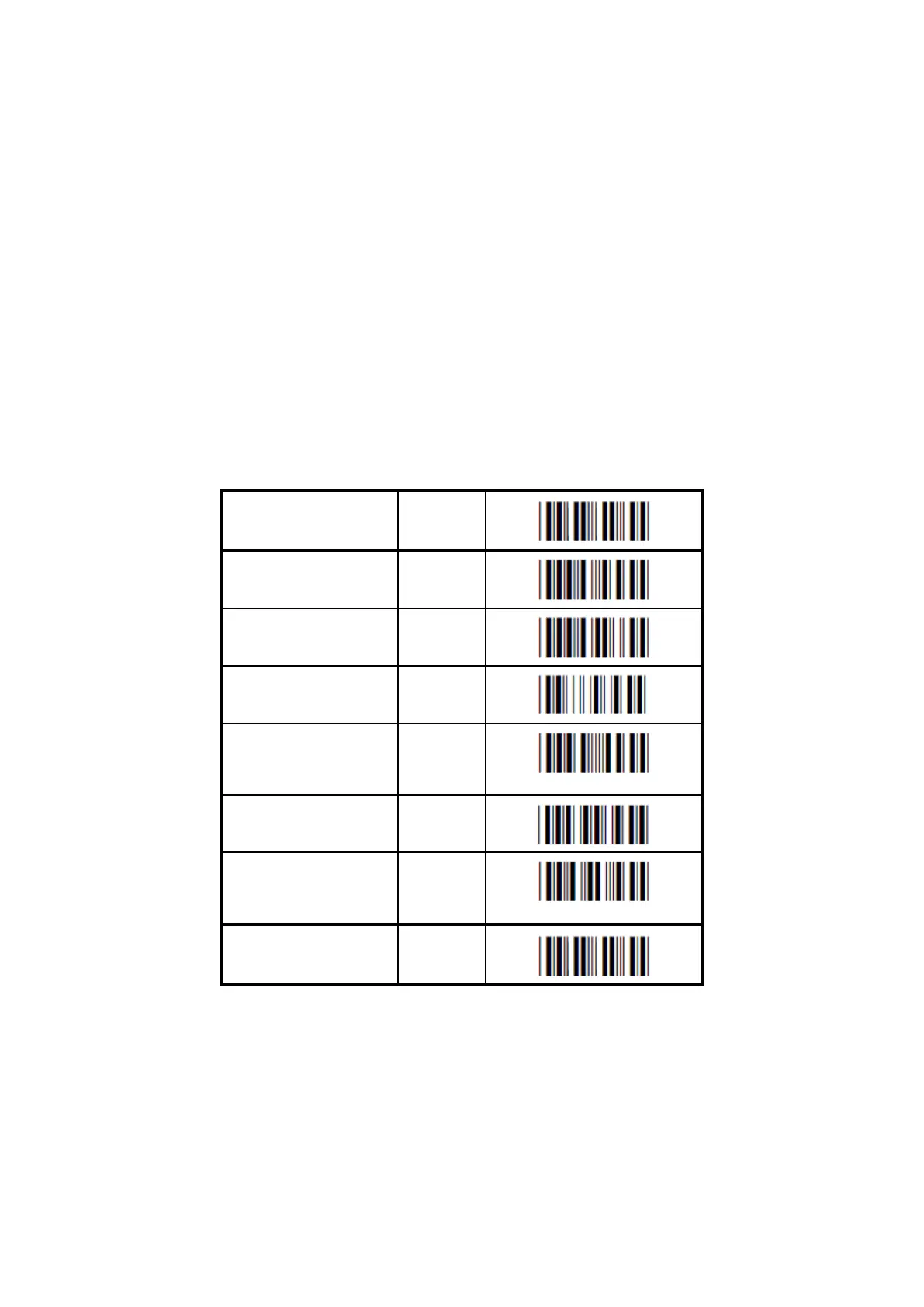
Auto NumLock mode:
When selecting this option, the bar code reader automatically uses the correct
NumLock state.
No CAPSLOCK mode:
This options cancels the CAPSLOCK mode.
CAPSLOCK mode:
This option ensures that data is displayed correctly when the keyboard is normally in
CAPSLOCK mode. The keyboard is returned in the CAPSLOCK mode after
transmission.
Auto CAPSLOCK mode:
When selecting this option, the transmitted data is displayed correctly, disregarding
the CAPSLOCK state.


 To Next Page