- 28 -
3.2. Setting of number of characters
If you are going to read bar codes of known length, it is recommended to set the
reader for a fixed number of characters. This can be done for up to two lengths. The
reader uses this to verify that labels read are of the correct length, rejecting any labels
which do not have the specified length. The advantage of setting a fixed length, is that
it provides protection against short scans of labels, such as Interleaved 2of5, which do
not provide sufficient security against partial scan. The length checking is done on the
label data and is not affected by options such as (not) transmit start/stop character or
check digit. Setting the number of characters does not affect fixed length codes, such
as EAN-13. 2D symbologies such as PDF417 and Data Matrix are also not affected
by fixed length settings.
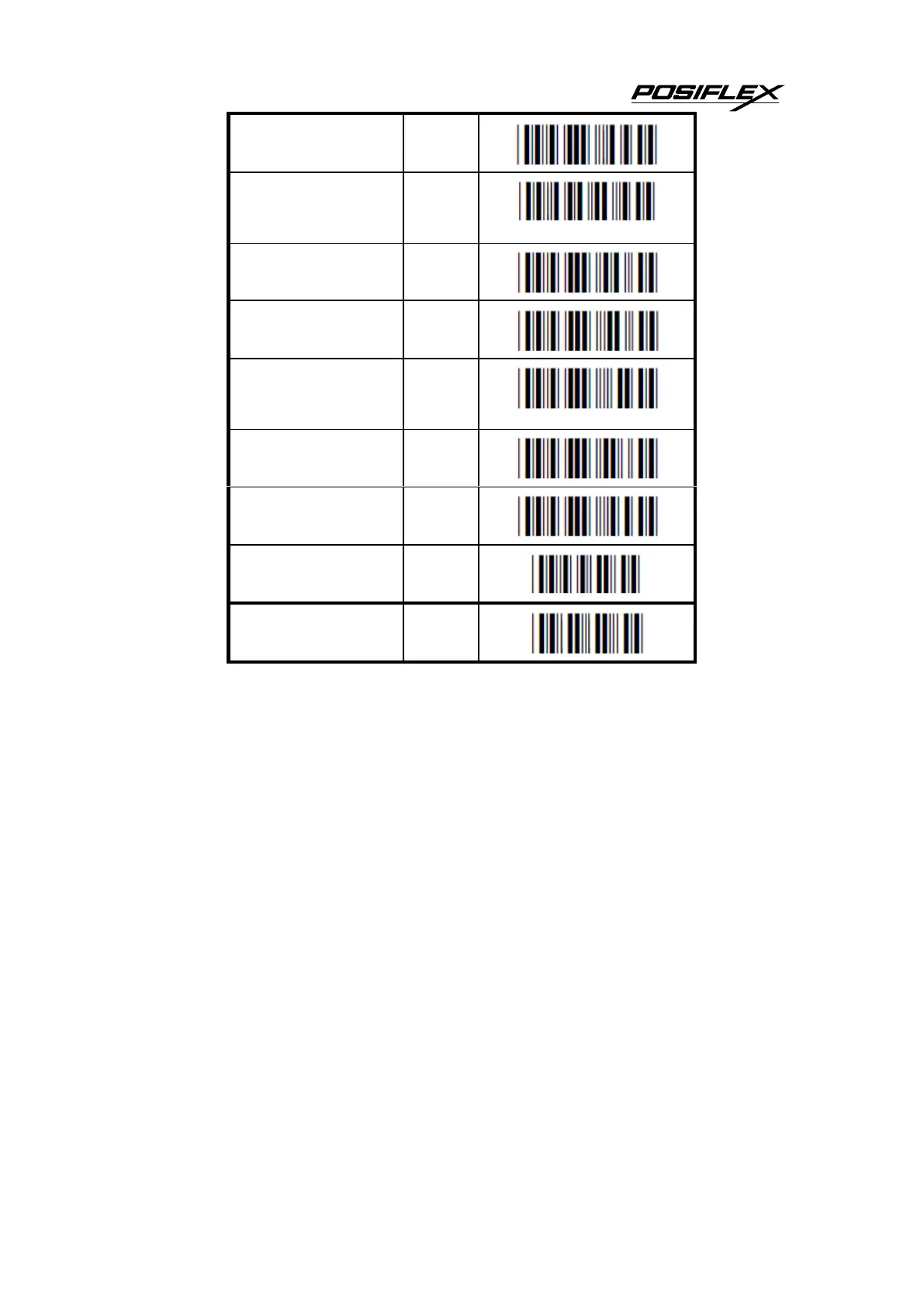
The following options are available:
Fixed length OFF all codes.
This option cancels the fixed length checking.


 To Next Page