- 1 -
INTRODUCTION
This menu book is intended for setting up your bar code reader to optimize its
performance for your particular application. When the required options have been
configured, they remain in the reader, even after power down. The reader can be
returned to factory default by reading the default label.
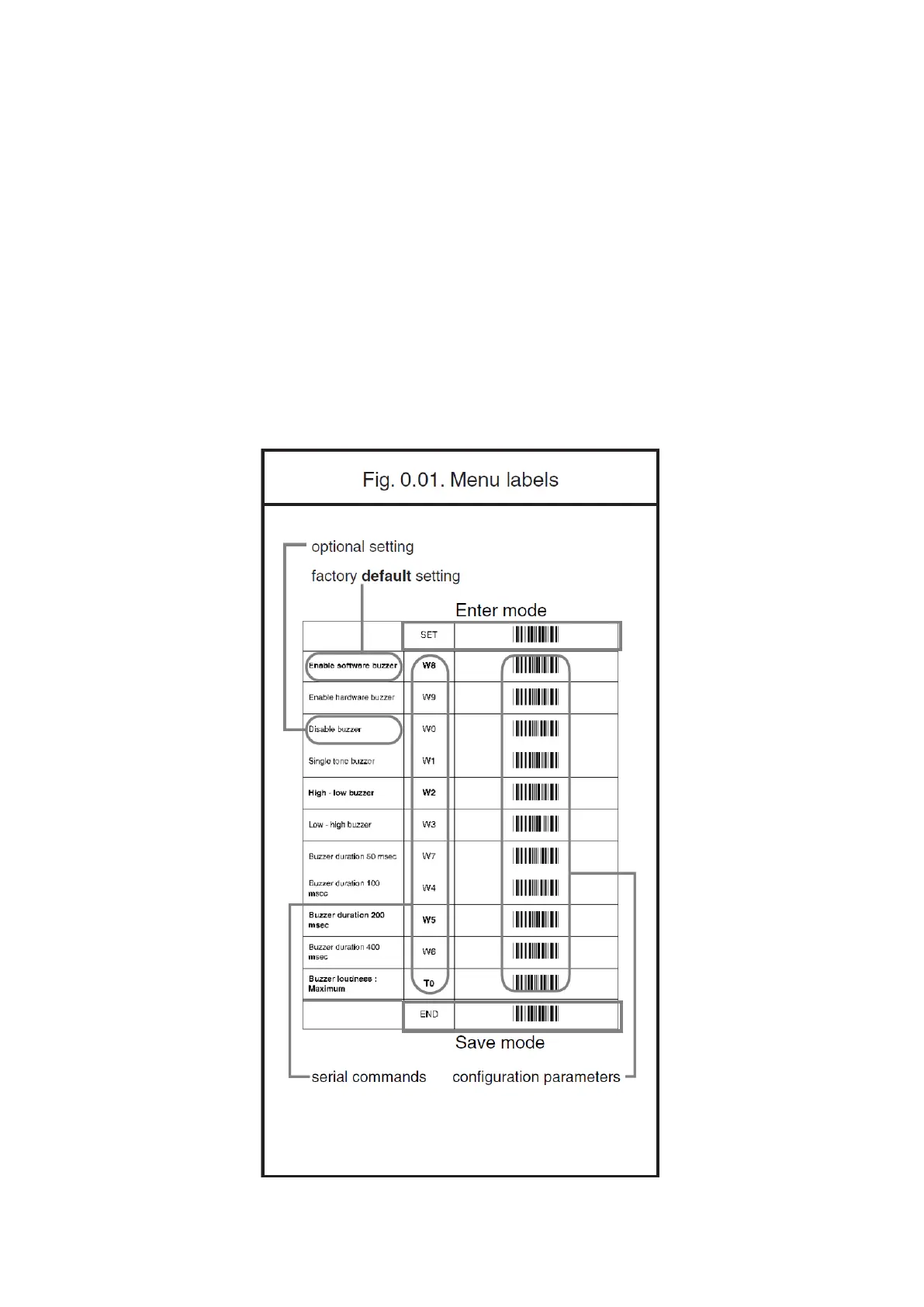
Menu labels
The reader must be set by reading the bar code labels in the menu table. The layout of
the table is explained in next figure 0.01. To have the bar codes properly decoded,
keep in mind that you are required to pull a trigger to initiate the decoding
process after accurately aiming the scanner at the 1D setup labels.



 To Next Page