- 74 -
4.2. Set prefix and suffix
A prefix and suffix of maximum 4 direct input entries each may be included in front
and at the end of the string respectively.
Bar code readers with an RS232 interface may be programmed with all 128 ASCII
characters. Keyboard wedges may additionally be programmed with the special keys
supported by the keyboard, e.g. function keys.
Default settings are:
• RS232: Prefix - None, Suffix - ^M (CR)
• Wedge: Prefix - None, Suffix – return
How to set a prefix or a suffix:
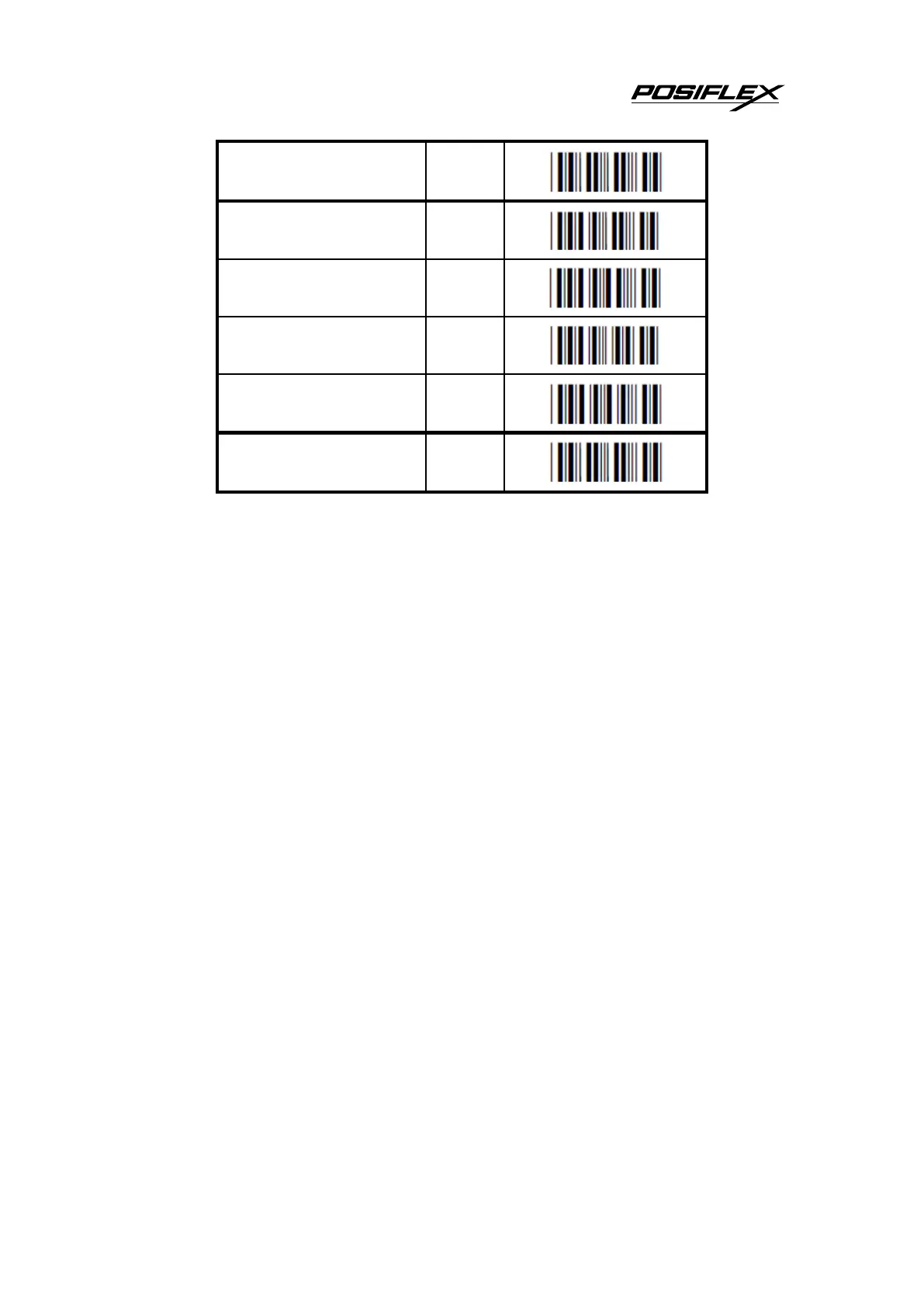
To configure a prefix for example for Code-39 as C39: scan the following labels from
this current chapter ‘String Options’:
<SET>
<Set prefix Code 39>
<C>
<3>
<9>
<:>
<END>
Bar code readers which do not support a different prefix or suffix for each symbology
have to make use of <ALL>.


 To Next Page