- 75 -
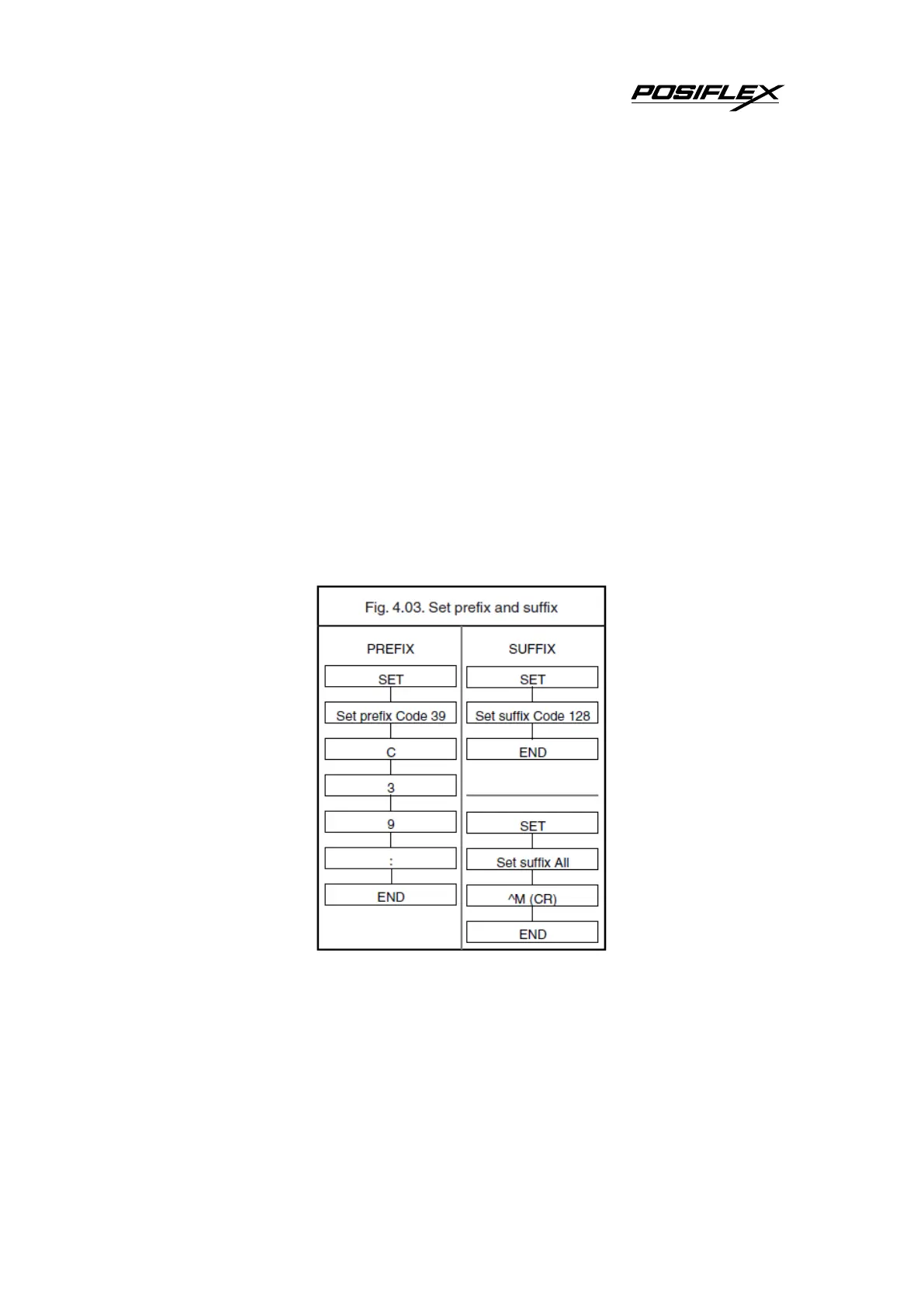
How to clear a prefix or suffix:
To clear the suffix for example for Code 128 scan the following labels:
<SET>
<Set suffix Code 128>
<END>
How to set a suffix for all symbologies:
To configure for example the suffix <CR> for all symbologies scan the following
labels:
<SET>
<Set suffix ALL>
<^M (CR)>
<END>
Note that this last example is for an RS232 interface. For a wedge interface a ^M (CR)
results in the key combination <ctrl>M .If the direct input keyboard key <return>
from this chapter is selected then the result is a <carriage return> or <Enter> key. See
figure 4.03.
Preamble and postamble:
A preamble is transmitted before the prefix and can contain up to 8 direct input
characters. A postamble is transmitted after the suffix and can contain up to 8 direct
input characters. A preamble and postamble will be transmitted for all symbologies.
By default, the preamble and postamble is empty.


 To Next Page