Loading 2” or 3” Paper Rolls
Before operating the printer, please follow the below steps to load a paper roll.
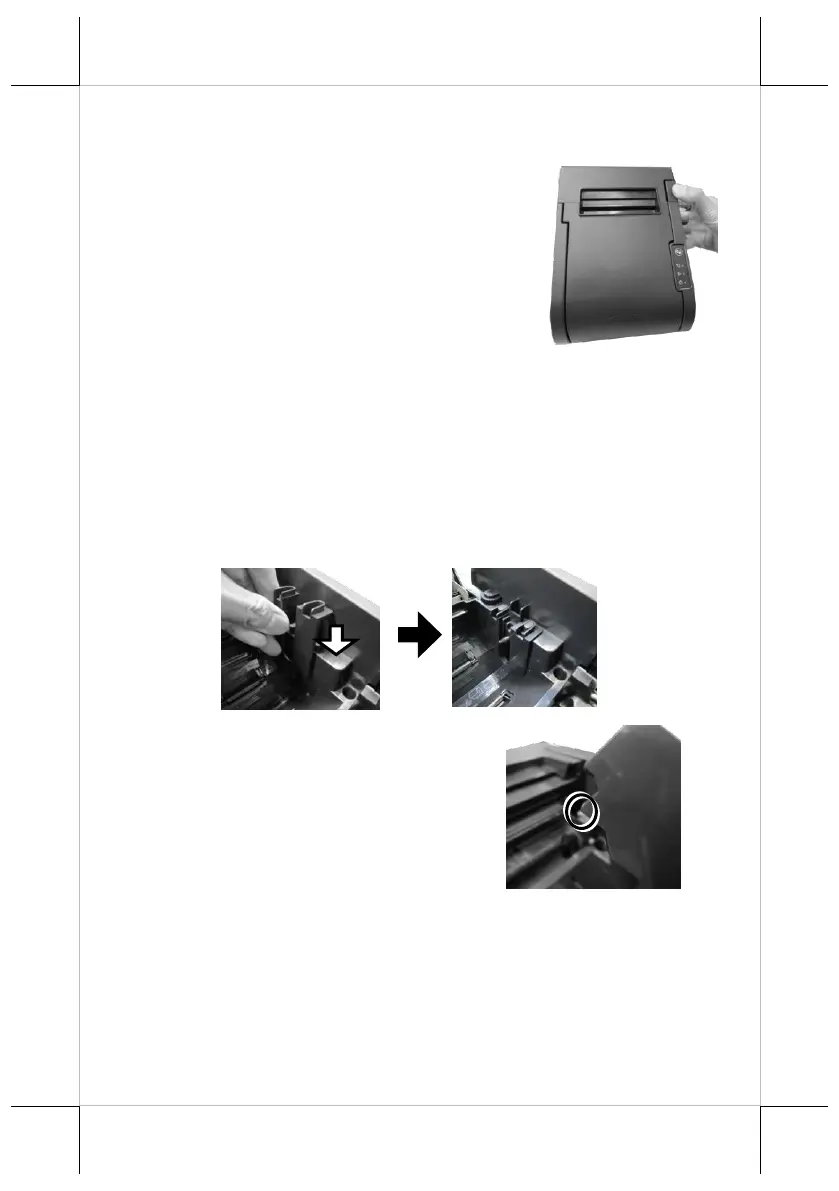
1. Press down the hood release button to open
the top cover.
2. Before installing 2-inch paper roll in the thermal printer, follow the
instructions below to properly install plastic pad spacer and the
separator. If you are using 3” paper roll for the printer, please skip to
next step.
2.1. To install palstic pad spacer, first find two bosses located on
the right side of the printer compartment. Then, push down the
plastic pad spacer until it is well hanged onto the bosses.
If you need to remove it from printer compartment, pull it in
the opposite direction.
2.2. Since the separator has to be
installed in the correct direction,
please first hold the separatorin as
shown in the figure.















 To Next Page