The AK500 System, comprising the AK525/AK512 CCUs and AK525/AK512 CRUs, is designed for point-to-point transport of Ethernet services over bonded copper pairs. It can bond 2 to 8 copper pairs to create a symmetric or asymmetric high-bandwidth link, delivering up to 100 Mbps over 12 Kft/3.7 Km or 45 Mbps over 17 Kft/5.2 Km. This makes it an ideal solution for Carrier Ethernet service delivery and backhaul applications. The AK500 is environmentally hardened and can be configured for either line or local power. Each unit is 1RU high and incorporates Aktino's Aktino Flex functionality, enabling asymmetric bandwidth, which allows service providers to allocate bandwidth between downstream and upstream traffic via a software command.
Important Technical Specifications:
System:
- Bandwidth: 25Mbps Symmetric / 60Mbps Asymmetric at CSA with full disturbers on 24AWG.
- System Latency: 3 ms minimum.
- Resiliency: Carrier grade automatic pair failure protections.
- BER: 10^-12.
Interfaces:
- Ethernet: Four 10/100BaseT, Auto Negotiating, Auto MDIX, One 100 Base-FX or 1000 Base-X SFP.
- Connector: RJ45, SFP.
- Compliance: IEEE802.3.
- Outside Plant Pairs: Technology: MIMO on DMT, Number of pairs: 1 to 8, Sealing current: Meets G991.2, T1.417 (Spectral) Compliant.
- Management Interface: 10/100BaseT RJ45.
Layer 2 Features:
- VLAN Tagging: IEEE 802.1q Support.
- Stacked VLAN Tagging.
- Priorities: IEEE 802.1p, Port, or DiffServ.
- Dynamic Bridging: 8K MAC Addresses.
- Metro Ethernet Forum (MEF9, MEF14) Certified.
Regulatory Approval:
- NEBS Level 3.
- UL60950.
- FCC Part 15 Class A.
Electrical:
- Power Input (CCU): -42 to -56.7 Vdc.
- Max Heat Dissipation: 40 Watts.
- Provides 12 Vdc, 12 Watt output.
- Line Powered by CCU Unit or Local Power Input (CRU): 120 Vac using AKRUPA Remote Unit Power Adapter.
Environmental:
- Operating Temperature: -40 to +65º C.
- Storage Temperature: -40 to +70º C.
- Relative Humidity: Up to 95%, non-condensing.
Mechanical:
- Chassis Dimensions: 1.75" High (1RU) x 8.5" Wide x 11.2" Deep.
- Weight: Approximately 3 lbs (CCU), Approximately 4 lbs (CRU).
Usage Features:
AktinoView Management Software:
AktinoView is a Microsoft Windows software package used to manage one or more AK500 systems. The CCU is referred to as the CO, and the CRU as the RT.
- Installation: AktinoView can be installed from a CD-ROM or downloaded from the Positron portal.
- Logging In: Users log in with a username and password (default "superuser") and the system's IP address (default CO: 192.168.10.1, RT: 192.168.10.2).
- Main Window: Displays three menu options: File, Action, and Help.
- File Menu: "Connect to" allows managing multiple Aktino systems simultaneously; "Exit" closes the program.
- Action Menu: "Refresh" updates the system; "System Backup" saves configuration to an XML file; "System Restore" imports a saved configuration, rebooting the system; "System Software Upgrade" updates Aktino System software; "Export" allows exporting Alarm Log, Alarm History, and Performance Monitoring data to a .csv file.
- Help Menu: "About" displays software version information.
- Quick-Launch Buttons: AktinoView provides quick-launch buttons for all menus.
- System Tab: Provides a front panel representation of the AK500 system.
- Inventory Tab: Lists all CO and RT units, including Serial Number, CLEI Code, Hardware and Software Revision Levels, and applied feature options (Asymmetric, 2.2 MHz, Line Powering).
- Provisioning Tab:
- Equipment: Allows provisioning of system equipment, including System ID, Contact, Location, IP Address, Subnet Mask, Gateway Address, RT Proxy IP, Regenerator Type, Other Span IP Address, Span 2 Mgmt. IP Address, and Time. For CRUs, it also includes "Allow CPE Mgmt Access."
- SNMP: Configures SNMP receiver parameters, including System ID, Contact, Location, Read Community String, IP Address of Trap Receiver, Community String of Trap Receiver, and SNMP Trap Version Number.
- MSPAN: Configures MSPAN parameters, including Slot, Circuit ID, Mode (Symmetric/Asymmetric), MSPAN Rate, Rate Upstream/Downstream, Line Powering, SNR Margin, Margin Threshold, Reserve Pairs, PSD Mask (Auto, M0-M5), 2.2 MHz, and State (Up/Down). PSD Masks are optimized for specific loop lengths (26 AWG and 24 AWG). Advanced parameters include Reed-Solomon Upstream/Downstream, Latency Upstream/Downstream, Impulse Protection Upstream/Downstream, Power Back-Off Upstream/Downstream, Max SNR Margin, and Rate Alarm Thresholds.
- Pair: Configures individual pairs, including Circuit ID and State (Up/Down). AK512 products support up to four pairs, AK525 up to eight.
- Ethernet:
- Type of Service: Configures service type (Transparent Switch, Transparent Port, Tunneled VLAN), CO/RT QoS Mode (QoS, Lossless), and Tail Drop Threshold.
- Quality of Service: Configures Scheduling Type (Weighted Fair Queuing, Strict Priority, Strict Priority & Weighted Fair Queuing), MAC Address Aging Timeout, Service Ether Type, VLAN Priority, IP Differential Service Priority, Queue Scheduling (Scheduling, Weight, VLAN PCP), and Save/Load configurations.
- Ports: Configures Ethernet ports, including Slot, Unit, XSPAN ID, Port, Circuit ID, Speed, Duplex, Flow Control, Priority Precedence, Port Priority, Ingress Rate Limit (Mbps), VLAN Trust Mode, Untagged VLAN ID, Loopback Enabled, State, and Frame Type (All, Tagged, Untagged).
- VLAN: Configures VLANs (available when Tunneled VLAN service is provisioned), including VLAN ID, VLAN Name, Uplink Port, and RT Port(s).
- VLAN Administration: Configures management VLANs, including VLAN ID, IP Address, Subnet Mask, Default Gateway, Uplink Port, and RT Port(s).
- Rate Limiter: Configures Ethernet Rate Limiters, including Name, Slot, Unit, Port, Type (Port, Port VLAN, Port VLAN CoS), VLAN ID, CoS, CiR (Mbps), and CBS (Bytes).
- Craft Access: Manages user accounts, allowing creation of Login Name and Password.
- IP Route: Provisions static routes for the AK500 CCU, including Network Destination, Network Mask, and Gateway Address.
- TACACS+: Configures TACACS+ settings.
- Access Method: Provisions authentication method for interfaces (TELNET, SSH, XML) using Local or TACACS+ authentication.
- Hosts: Provisions settings for TACACS+ Host Servers, including IP Address, Port, Key, Timeout, and Priority.
- Alarms Tab:
- Alarm Log > CO/RT: Displays a list of all alarms observed on the AK500 CO/CRU Unit, including time-stamp information.
- Alarm History > CO/RT: Displays alarms observed by the AK500 CCU/CRU, including occurrence count and first/last observation times.
- Performance Monitoring (PM) Tab: Displays detailed performance information for Ethernet Ports, MSPAN interfaces, and individual MSPAN Pairs for both CO and RT sides.
- Ethernet > CO/RT > Summary: Displays Ethernet Link information and counters.
- Ethernet > CO/RT > Detail: Displays detailed Ethernet counters.
- Ethernet > CO/RT > MAC Addresses: Displays MAC addresses learned by the selected port.
- Ethernet > RT > Circuit: Shows performance monitoring traffic from CRU Port to CCU Port.
- MSPAN > CO/RT > MSPAN: Displays upstream/downstream PM information, including Capacity, Rate, SNR Margin, and 15-Minute/24-Hour intervals.
- MSPAN > CO/RT > Pair > Summary: Displays upstream/downstream Pair Summary information.
- MSPAN > CO/RT > Pair > Current 15 Minutes: Displays upstream/downstream Pair PM information for the last 15-minute interval.
- MSPAN > CO/RT > Pair > Current 24 Hours: Displays upstream/downstream Pair PM information for the current day.
- MSPAN > CO/RT > Pair > History: Displays upstream/downstream PM information for the Pairs, including Capacity, Rate, SNR Margin, and 15-Minute/24-Hour intervals.
- Tools Tab: Displays active and standby firmware partitions for each component. Right-clicking on a slot provides options for Software Upgrade, Revert Software and Reboot, Reboot, Reset PM, Reset Logs, Reset PM/Logs, Reset System to Factory Defaults, and Export Logs.
- Diagnostic Tab:
- SELT (Single Ended Loop Test): Provides diagnostics for each pair. Requires the remote unit to be disconnected. Steps include calibration, connecting pairs to the Outside Plant (without remote unit), and running the test. Results include Line Length, Tip to Ground Resistance, Ring to Ground Resistance, and Tip to Ring Resistance.
- DELT (Dual Ended Loop Test): Provides diagnostics for each pair. Requires the remote unit to be connected. Results indicate current in milliamps for each pair's tip and ring, and between pairs.
- License Tab: Displays activated features for the AK500 System. Clicking on the CO unit brings up the Software License dialog box to view feature activation status (Asymmetric, 2.2 Mhz, Line Powering).
Maintenance Features:
- Fan Filter Replacement: The fan filter should be replaced every six months. Care must be taken to prevent collected dust from entering the equipment during replacement. Ordering information for filters is available at the end of the document.
- Ground Connection: The ground lug on the back panel accommodates up to 6 AWG wire. A proper ground connection (less than 2 ohms between the AK500 Ground Lug and facility ground) is required for proper system operation and lightning surge requirements. Ethernet management wiring must be shielded and grounded at both ends.
- Replaceable Filters: It is important to check the replaceable filters every 6 months.
- System Software Upgrade: The process involves downloading firmware from the Positron portal, selecting the appropriate software version, and initiating the upgrade via AktinoView. The system will reboot during this process.
- Troubleshooting: Alarm details in AktinoView provide troubleshooting information for various alarms, including Loss of Signal, Short Circuit, Open Circuit, Ground Fault, Loss of Frame, Rate Below Configured Rate Threshold, SNR Margin Below Margin Threshold, Line Powering Failure, Equipment Failure, Mismatched Equipment, High Temperature, Power A/B Failed, Fan Failure, Link Down, Clock Change, and System Reboot.
- Export Logs: The "Export Logs" option in the Tools tab allows exporting important system information for analysis by Positron Technical Support.
- Factory Defaults: The "Reset System to Factory Defaults" option allows resetting the unit to its original factory settings.

 Need help?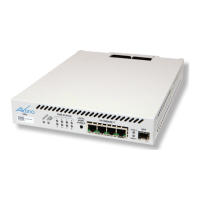

 To Next Page
 General