AK500 System Installation and User's Guide
Positron Access Solutions 56 Document 180-0037-003 R01
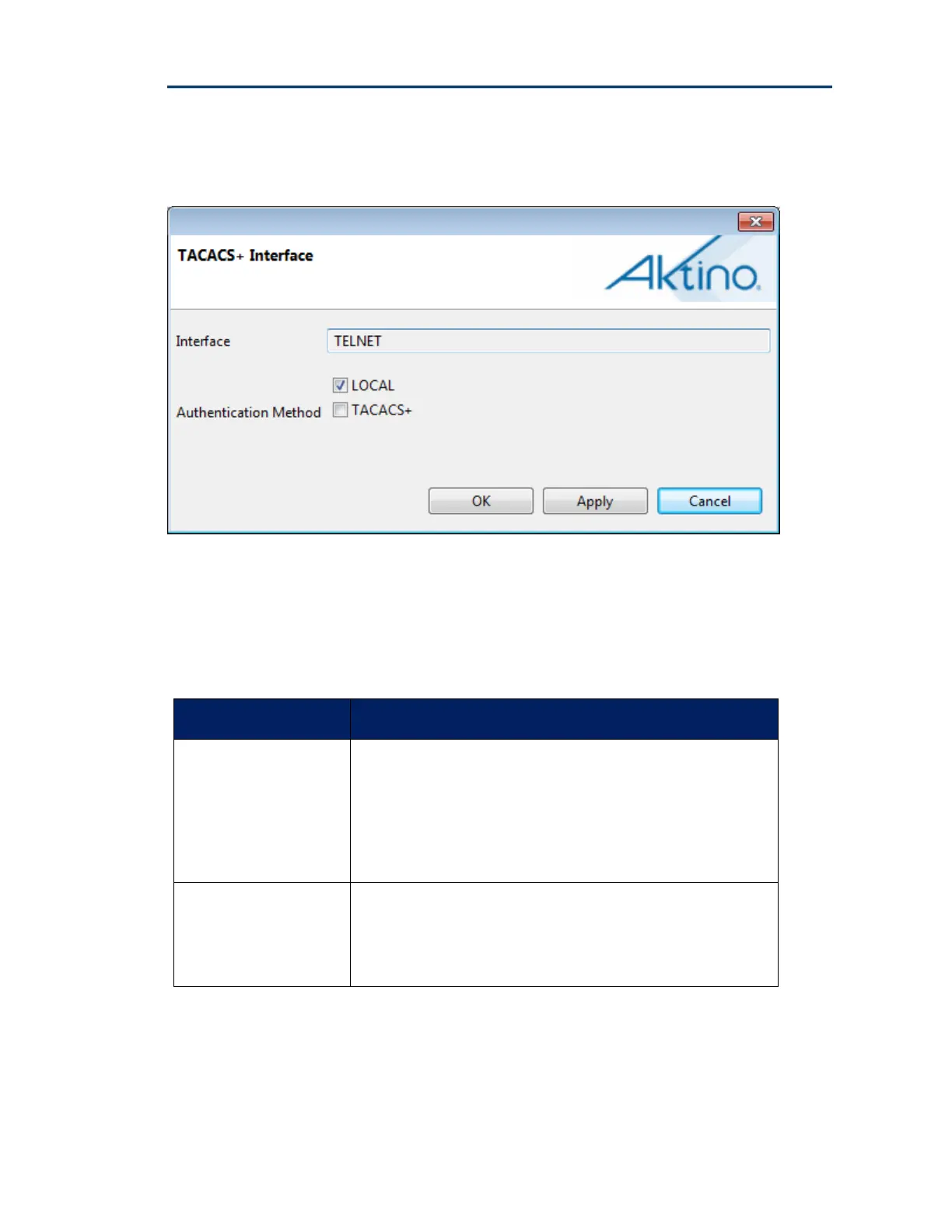
Double click on the desired Interface to display its configuration options
See the following table for the Interface and Authentication Parameters and
Values:
Access Method Values
Interface
TELNET: For Telnet connections to the system
SSH: For SSH connections to the system.
XML: For AktinoView or Aktino EMS connections to the
system
Authentication
Method
Local: Use the system’s locally stored user database for
user authentication
TACACS+: Use a TACACS+ Server for user authentication
Note: In order to enable SSH connections, the SSH Server host keys need to be
generated via the CLI.


 To Next Page