
 Need help?
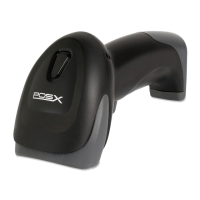
Do you have a question about the POSX ION BLUETOOTH and is the answer not in the manual?
How to connect the scanner to a Windows PC via the base.
Steps to connect the scanner to mobile devices (iOS, Android).
General procedure for entering and exiting scanner programming mode.
Configure output characters (terminators) like CR, LF, or Tab.
Settings for beep tone, sound duration, and power-on beeper.
Select different reading modes: trigger on/off, continuous, flash.
Add prefix and suffix strings to the beginning and end of scanned data.
Configure insertion groups to add characters into scanned barcode output.
 General
| Brand | POSX |
|---|---|
| Model | ION BLUETOOTH |
| Category | Barcode Reader |
| Language | English |

 To Next Page
