13
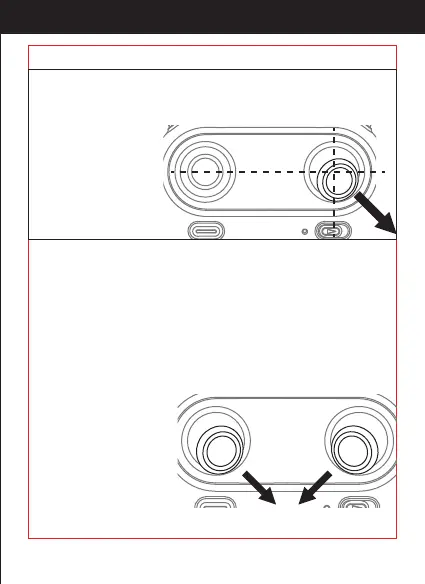
Push the right stick as picture shown after successful frequency
pairing(DO NOT push the left stick before it) . Please loose it when the
drone front body light ash 3 times and turn a solid color , indicating
that calibration is
completed.
Tips: Crashing the drone may cause the connection to fail, making the
drone hard to control. If this occurs, try repairing and calibration. It
must be placed on a surface!
(This action is used in case of ight abnormality)
Unlock the motor:
Lock the motor:
Move the left stick and right stick at the same time 45 degrees inward.
When the motor is working,
it could be used to stop
the motor urgently
(Move the left stick
and right stick at the
same time 45 degrees inward).
http://www.ipotensic.com



 To Next Page