7
1. Connect the drone battery with USB cable rst and then choose one of
the chargers as below shown to connect with USB plug.
2. The red USB indicator light keeps bright when charging and the light
turns green when fully charged.
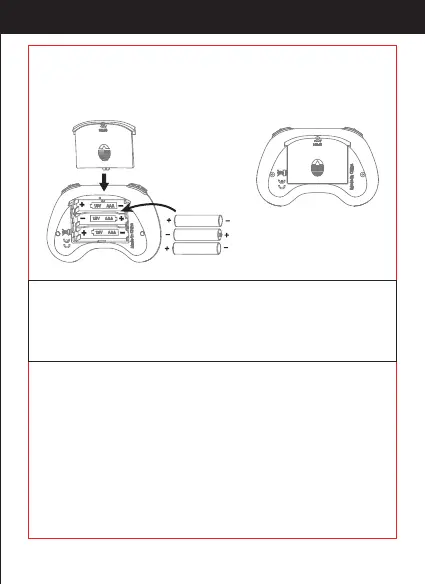
3X1.5V
Alkaline Batteries
Battery Cover
1. Make sure the electrodes are
correct.
2. Do not mix new with old
batteries.
3. Do not mix dierent kinds of
batteries.
4. Do not charge the non
rechargeable battery.
Notice:
Open the battery cover of the transmitter, insert 3 AAA batteries
following the polarity indicators ( Picture below, battery is not included)
and then close it.
http://www.ipotensic.com



 To Next Page