INSTALLATION AND CONNECTION
3. INSTALLATION AND CONNECTION
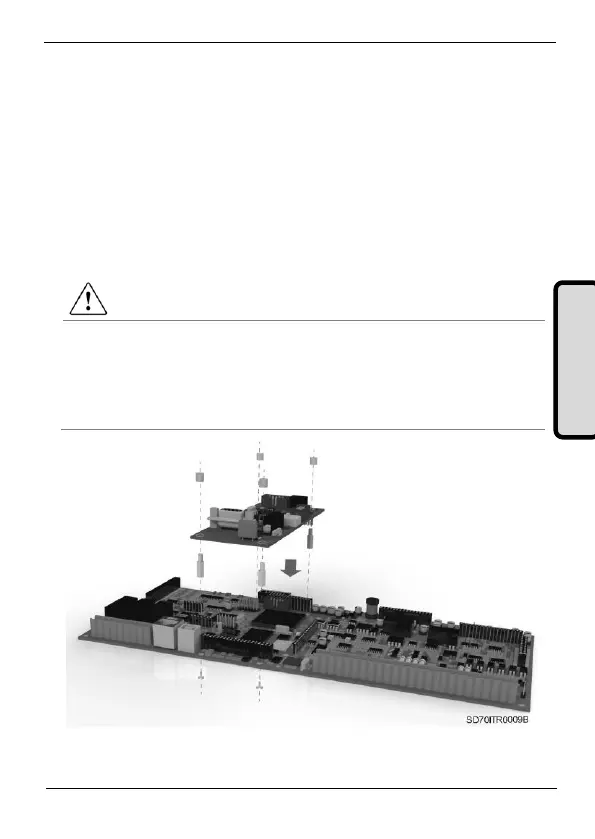
3.1. Installation of Profibus Board
Profibus board is directly connected to the drive of the SD700 Series
from Power Electronics (through two connectors) with the purpose of
integrating the equipment in a Profibus network. Therefore, it will be
necessary one Profibus board for any equipment which is going to be
connected to this network.
CAUTION
Motor controllers of Power Electronics operate with a high electric
energy.
Make sure the power supply has been disconnected and wait for at least
10 minutes to guarantee that DC Link voltage is discharged, before
installing the Ethernet board. Otherwise, you may get personal injuries or
an accident could occur.
Figure 3.1 Installation of Profibus board in the drive



 To Next Page