20
4111-0035 — Dec. 2018
©
2018 Systems, LLC
Operation - Normal
1. Check that the transport vehicle is positioned
squarely against both dock bumpers.
• Inside light - RED
• Outside light - GREEN
2. Push ENGAGE button to activate restraint.
• Inside lights - AMBER
• Outside light - RED
3. Restraint will ENGAGE on transport vehicle RIG.
• Inside light - GREEN
• Outside light - RED
4. Visually inspect restraint for proper engagement.
5. Position dock leveler onto transport vehicle.
6. When loading or unloading is complete, return
dock leveler to the stored position.
7. Push RELEASE button to store restraint.
• Inside lights - AMBER
• Outside light - RED
8. Transport vehicle can now depart.
• Inside light - RED
• Outside light - GREEN
OPERATION
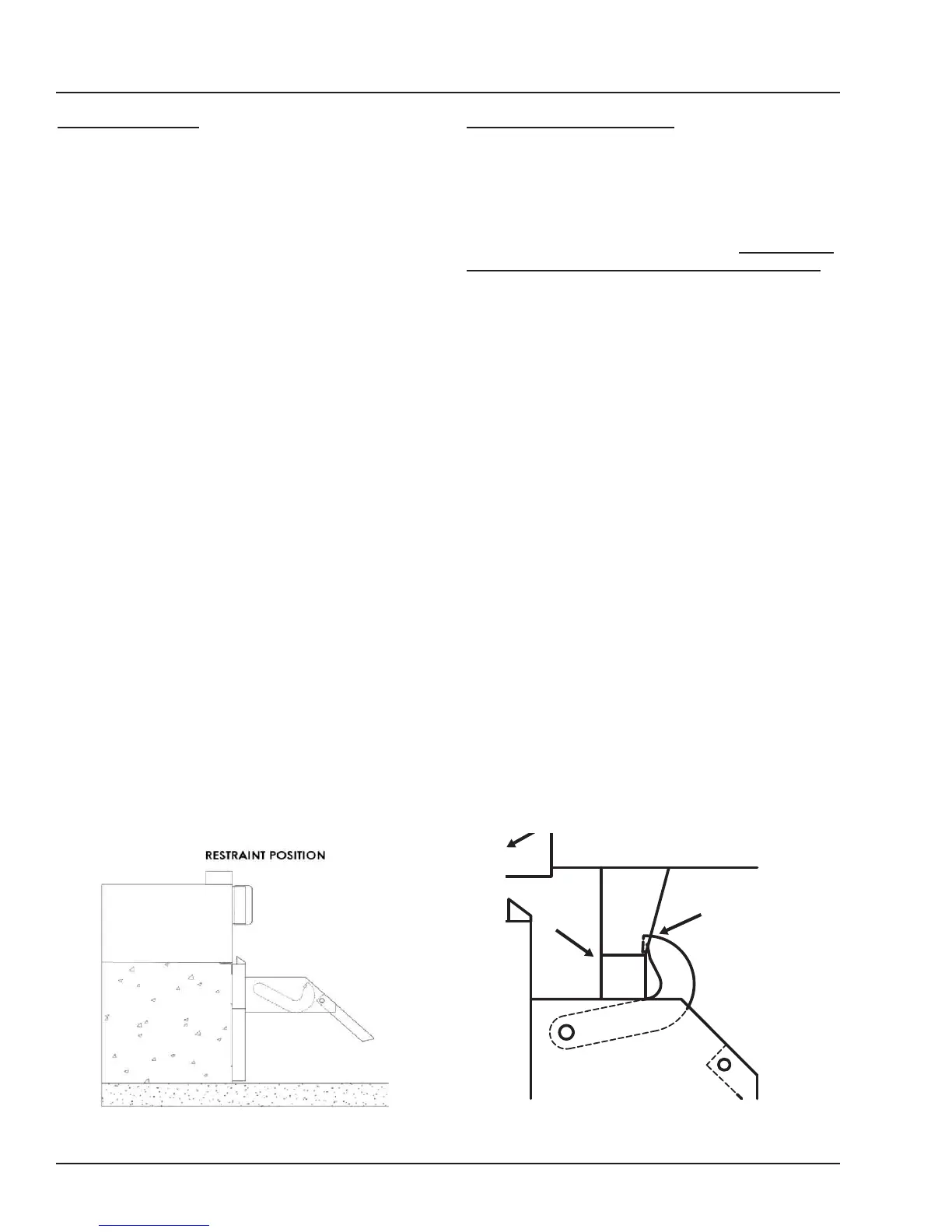
Figure 13 Figure 14
Control Box Size: Overlay
Decal Size: 4 x 6.5
File Name: 1751-1051 Rev A
Call Systems Inc. for assistance at (800) 643-5424
1751-1051 Rev A
• Inspect all lights and alarm (if equipped) daily for proper
operation.
• Only authorized personnel who have read and understand
the owner’s/user’s manual should operate TPR vehicle
restraint.
• Maintain TPR vehicle restraint in accordance to
owner’s/user’s manual.
Dock Face
Hook
RIG
Obstructions
If hook is NOT able to securely capture the RIG, transport vehicle
must be secured by other means.
TPR Hook must securely
capture Rear Impact Guard
(RIG). Visually inspect before
loading/unloading transport
vehicle.
• Area around RIG should be
free of plates, lift gates or other
obstructions for hook to
securely capture the RIG.
TPR UniLock Hook must
securely capture Rear Impact
Guard (RIG). Visually inspect
before loading/unloading
transport vehicle.
Dock Face
RIG
Hook
Lift Gates
Operation - Auto Re-Engage
Note: Auto Re-Engage requires an iDock Control
System. Units without an iDock Control System do
not have this functionality.
After restraint has been engaged with successful
capture of RIG bar, these restraints will automatically
attempt to re-engage if they leave the working zone:
• When restraint hook is lowered to the stored
position without pressing the RELEASE button,
the controls will automatically attempt to re-
engage the hook one (1) time.
• If hook successfully captures the RIG bar
again, the light communication will remain the
same.
• If hook is unable to return to the working
zone after one (1) attempt, the hook will
automatically return to the stored position,
and the iDock Control System will alert
the operator that the restraint is no longer
engaged with a Bypass Mode prompt. See
“Operation - Unsuccessful Engage.


 To Next Page