14
9
Step 1 - Assembling the auxiliary handle
Step 2 - Assembling the safety guard
Assembly
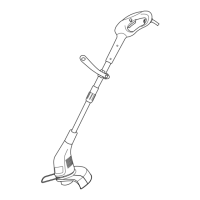
Carefully unpack the trimmer and check that it is complete:
• Pull open the ends of the auxiliary handle to extend it and slide it over
the handle mount (Fig. 1).
• Fasten the auxiliary handle (4) with the rod and winged nut (17) (Fig. 1).
• Fold open the retainer on the plastic guard.
• Place the safety guard (9) in the guide and make sure that the two
marks ‘▲’ on the safety guard and motor head are aligned (Fig. 2).
• Tighten the 3 screws to secure the safety guard.
Fig. 1
Fig. 2
4
17
WARNING! Before assembly, make sure that the trimmer is
switched off and unplugged.


 To Next Page