18
Trimmer settings
djusting the uxiliry hndle
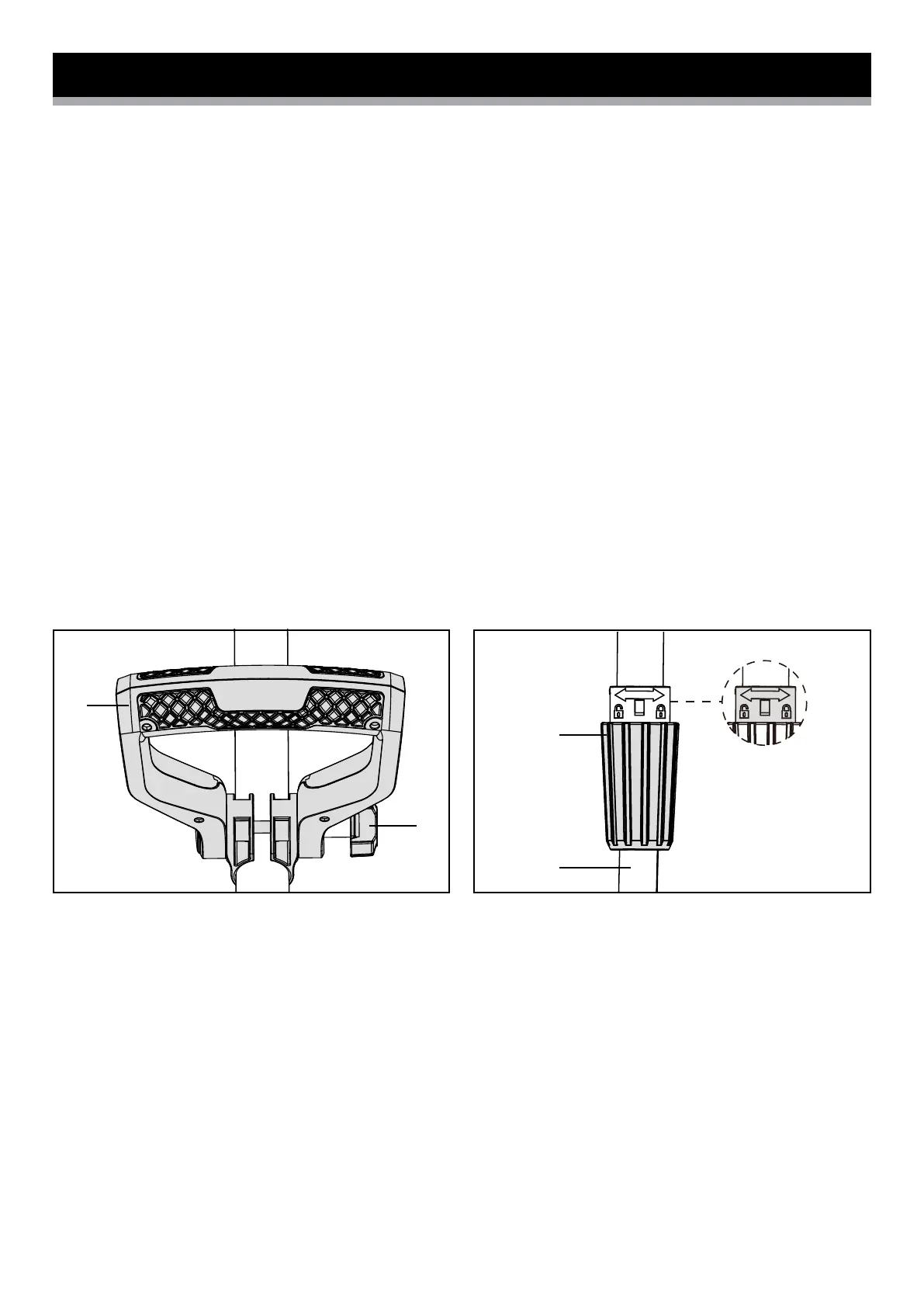
The auxiliary handle (12) can be set in different positions.
Set the handle in such a manner that the cutting head is slightly tilting
forwards when in the working position.
• Loosen the wing nut (15) anticlockwise from the handle (Fig. 6).
• Adjust the auxiliary handle (12) to the most comfortable position.
• Pass the bolt through the auxiliary handle (12). Tighten the wing nut to
secure. Do not over tighten the nut (Fig. 6).
Adjusting the length of the telescopic tube
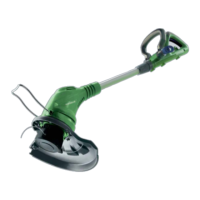
The telescopic tube enables you to adjust the trimmer to your height.
• Turn the height adjustment locking collar (4) clockwise to unlock.
You can slide the telescopic tube up or down to achieve the most
comfortable working height (Fig. 7).
Adjusting the pivoting head
The trimmer head can be pivoted to seven different positions.
• Unplug the trimmer.
• Push the pivot button (6) and move the trimmer head up or down to one
of the seven positions indicated by the notches (Fig. 8).
NOTE: Adjust the trimmer head to the first, second and third notches for
trimming; and notches four, five, six and seven for edging, based on the
preferred trimming and edging position.
• Make sure the trimmer head is securely locked into place before
resuming work.
Fig. 6 Fig. 7
12
7
5
15


 To Next Page