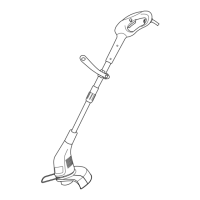
20
Lengthening the cutting lines
A short or worn cutting line will not cut effectively. If you notice reduced
cutting performance, you should check if there is still enough line on the
spool.
Disconnect the power plug first! Spool replacement is detailed in section
‘Replacing the Trimming Assembly’.
Fully automatic dual line system:
The equipment features a fully automatic dual line system.
The lines will automatically elongate every time you start the trimmer. To
support proper line elongation, ensure that the head has stopped moving
completely before starting the trimmer again.
If the lines should be longer than defined by the cutting circle then they
will be automatically cut to the correct length by the line cutter.
Regularly check the nylon lines for damage and whether the lines still
have the correct length defined by the line cutter.
When no line ends are visible:
Renew the line spool (see ‘Maintenance’).
Adjusting the line length manually:
Disconnect the plug from the mains socket! Press the line-release button,
pull the ends of the cutting line out and let go of the line-release button.
Avoid releasing very long lengths of the cutting line.


 To Next Page